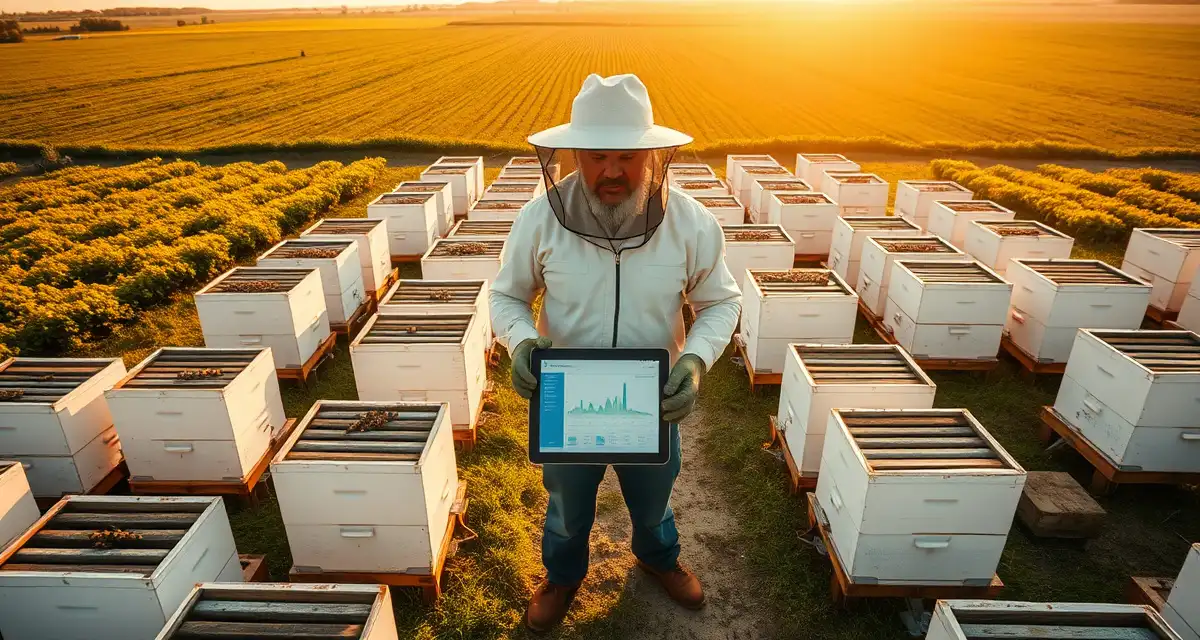
How to Manage Multiple Apiaries Without Losing Track
Beekeepers managing 3+ sites without a unified system miss treatment windows at remote locations 2x more often. This isn't about effort. It's about visibility. When your operation is spread across multiple locations, it's genuinely hard to track what's happening at each site without a system that shows you the whole picture at once.
This guide covers how to organize records, treatment schedules, and mite monitoring across 3, 5, or 10 apiaries using VarroaVault's multi-apiary tools. GPS mapping, dashboard views, and bulk logging are the three features that make it work.
TL;DR
- This guide covers key aspects of how to manage multiple apiaries without losing track
- Mite monitoring should happen at minimum every 3-4 weeks during active season
- The 2% threshold in spring/summer and 1% in fall are standard action points based on HBHC guidelines
- Always run a pre-treatment and post-treatment mite count to calculate efficacy
- Treatment records including product name, EPA number, dates, and counts are required for state inspection compliance
- VarroaVault stores all monitoring and treatment data with automatic threshold comparison and state export formatting
Why Multi-Apiary Management Fails Without a Unified System
Here's what usually happens when beekeepers try to manage multiple sites on paper or in scattered spreadsheets:
The home apiary gets good attention. You're there regularly, the records are current, treatment timing is solid. The remote apiaries? Those get attention when you remember. Treatment records might be in a notebook in the truck. PHI deadlines are mental calculations. And the count you did at the north apiary six weeks ago? What was it again?
This is how remote sites accumulate problems that a nearby beekeeper would catch immediately. A colony at the far apiary reaches 3% mite infestation. You don't realize it for three more weeks because you haven't been out there. By the time you treat, the fall window has tightened significantly.
A unified system means every apiary shows up in the same dashboard. The last count date, the current mite trend, the next scheduled treatment, and the PHI deadline are all visible for every location at once. The apiary health snapshot in VarroaVault loads in under 3 seconds for operations with up to 50 locations. You can check the status of your whole operation before you leave the house in the morning.
Step 1: Set Up Your Apiary Locations
Before anything else, create an entry for each apiary location in VarroaVault. Each apiary entry needs:
- Name (whatever you call it: North Apiary, Smith Farm, Mountain Site)
- GPS coordinates (tap to pin in the map view or enter manually)
- Address or directions (useful for crews who don't know all your sites)
- Number of hives at that location
- Notes (access gates, landowner contact, seasonal access restrictions)
GPS coordinates are important for two reasons: navigation for your crew and regulatory compliance. Many state inspectors now want GPS coordinates for registered apiary locations, and some states are moving toward GPS-verified records.
Once locations are set up, assign each hive to its apiary. If you're adding hives that already exist in VarroaVault, you can move them to the new apiary in your hive settings.
Step 2: Build the Dashboard View That Works for Your Operation
VarroaVault's multi-apiary dashboard can be sorted and filtered in several ways. For most beekeepers with 3-10 locations, the most useful view is:
Sort by: Last mite count date (oldest first)
This immediately shows you which apiaries are overdue for a count. If the north apiary hasn't had a count logged in 45 days, it shows up at the top. You know where to go first.
Alternative sorting options:
- By current mite pressure (highest infestation rate first)
- By next scheduled treatment date
- By PHI deadline (soonest first)
Set your default view during setup. You can change it anytime, but having a default that matches how you prioritize your apiary visits saves time every day.
Step 3: Monitor on a Per-Apiary Schedule
Every apiary needs its own monitoring calendar. A remote location 30 minutes away should be on the same 30-day monitoring interval as your home apiary, not monitored only whenever you happen to be passing by.
Set monitoring reminders per apiary during setup. VarroaVault will notify you when a count is due at each location. This removes the burden of tracking monitoring schedules mentally.
For operations where you're sampling all hives at each site: log individual counts per hive. For larger operations where you're doing a sample of hives per site, log the site-level average with a note about how many hives were sampled.
The multi-apiary management software dashboard aggregates individual hive counts into an apiary-level summary, so you can see both the site average and the individual outliers.
Step 4: Use Bulk Logging for Treatment Days
When you treat an entire apiary on the same day, you don't want to log 20 individual treatment entries. Use bulk logging:
- Select the apiary from the sidebar
- Tap "Bulk Treatment Entry"
- Select the treatment product, date, and method
- Confirm which hives received treatment (tap to check; swipe to flag exceptions)
- Save. All confirmed hives get a treatment record with the same product and date
Exceptions (hives that weren't treated, hives that got a different product, queenless hives that were skipped) are logged separately with a note. This keeps your treatment record accurate without requiring individual entries for every hive.
Step 5: GPS Mapping for Field Navigation
For remote or hard-to-find apiaries, GPS mapping is genuinely useful. The GPS hive mapping feature allows you to:
- Navigate directly to any apiary from the app using your phone's mapping app
- Share apiary locations with crew members via link (no manual directions)
- View all apiaries on a single map to plan efficient route days
- Pin individual hive locations within a large apiary for exact hive-level location tracking
For very large apiaries (100+ hives in a multi-row layout), pinning individual hive locations helps ensure the right hive gets the right treatment. This is especially useful when crews are working quickly through a large site.
Step 6: Export Records by Apiary for Inspections
State inspectors typically ask for records by location. "Show me your treatment records for the apiaries at 123 Rural Route" is the typical request.
VarroaVault's export function lets you select a single apiary and export its full treatment and mite count history as a PDF or CSV. For multi-state operations, you can filter by state if your apiaries span state lines with different inspection requirements.
Have a stored export ready for each apiary before inspection season in your state. It takes 30 seconds per apiary to generate. Having it done in advance means the inspector gets the records immediately, not after you spend 10 minutes navigating the app under pressure.
Managing Seasonal Access Apiaries
Some locations are only accessible certain months of the year. Mountain apiaries may be snowbound from November to April. Flood-prone lowland sites may be inaccessible in spring. Remote wilderness sites may require specific seasonal access windows.
Flag seasonal access restrictions in your apiary notes, and set monitoring reminders to skip non-access periods. VarroaVault will pick up the monitoring schedule again when your access window reopens.
For inaccessible winter sites, your fall treatment needs to be thorough enough to carry the colony through until spring access. Plan a more aggressive fall protocol for remote sites where you won't be able to do a mid-winter check.
FAQ
How do I add a new apiary to VarroaVault?
From the main dashboard, tap the "+" button in the Apiaries section. Enter the apiary name, GPS coordinates (either pinned on the map or entered manually), address or access notes, and the number of hives at that location. Once the apiary is created, add individual hive profiles by tapping "Add Hive" within the apiary record. Existing hives can be reassigned to the new apiary from their individual hive settings.
Can I see all my apiaries at once?
Yes. The multi-apiary dashboard shows all locations in a single scrollable view with key metrics for each: last mite count date, current average infestation rate, next scheduled monitoring date, and any active PHI deadlines. You can also switch to map view to see all apiaries pinned geographically. The dashboard refreshes in under 3 seconds even for operations with up to 50 locations. You can filter the view by status (needs monitoring, above threshold, PHI deadline upcoming) to quickly identify which locations need attention.
What is the maximum number of apiaries on the Professional plan?
The Professional plan supports unlimited apiaries and unlimited hive profiles. There is no cap on locations. The interface is designed to handle 50+ locations smoothly, and commercial operations running 100+ hives across 10-20 sites use the dashboard without performance issues. For very large commercial operations (300+ hives, 15+ apiaries), the bulk logging and export features are the primary workflow tools that keep per-apiary management practical at scale.
How do I know if my varroa treatment is working?
Run a mite count 2-4 weeks after the treatment ends and compare it to your pre-treatment count. The efficacy formula is: ((pre-count - post-count) / pre-count) x 100. A result above 90% indicates effective treatment. Results below 80% should trigger investigation for possible resistance, application error, or reinfestation. Log both counts in VarroaVault to track efficacy trends across treatment cycles.
How often should I check mite levels in my hives?
At minimum, once per month (every 3-4 weeks) during the active season. Increase to every 2 weeks when counts are near threshold or after a treatment to verify it worked. In fall, monitoring frequency matters most because the window to treat before winter bees are raised is narrow. VarroaVault's monitoring reminders can be set to your preferred interval for each apiary.
What records should I keep for varroa management?
Each record should include: date of count or treatment, hive identifier, monitoring method used, number of bees sampled, mites counted, infestation percentage, treatment product name and EPA registration number, dose applied, treatment start and end dates, and PHI end date. State apiarists typically expect this level of detail during inspections. VarroaVault captures all of these fields in a single log entry.
What is How to Manage Multiple Apiaries Without Losing Track?
Managing multiple apiaries without losing track means using a unified system to monitor hive health, mite levels, and treatment schedules across all your locations simultaneously. When beekeepers manage 3 or more sites using paper records or scattered spreadsheets, they miss critical treatment windows twice as often. VarroaVault's multi-apiary tools — including GPS mapping, dashboard views, and bulk logging — give you a single source of truth so nothing falls through the cracks across 3, 5, or even 10 apiaries.
How much does How to Manage Multiple Apiaries Without Losing Track cost?
This guide on managing multiple apiaries without losing track is completely free to read on VarroaVault. The article covers mite monitoring protocols, treatment thresholds, and record-keeping requirements at no cost. VarroaVault offers a platform with multi-apiary management tools including GPS mapping, automated threshold alerts, and state-compliant export formatting — pricing for the software is available on the VarroaVault website, with free features available to help beekeepers get started organizing their apiary records.
Sources
- American Beekeeping Federation (ABF)
- USDA ARS Bee Research Laboratory
- Honey Bee Health Coalition
- Penn State Extension Apiculture Program
- Project Apis m.
The Goal: Every Apiary Gets Equal Attention
The reason remote apiaries get neglected isn't that beekeepers care less about them. It's that "out of sight, out of mind" is a genuine psychological phenomenon, and managing by memory means the nearby things dominate your attention.
A unified dashboard inverts that. Your most at-risk apiary, whether it's the one with the highest mite pressure or the one that's most overdue for a count, appears at the top of your list regardless of how far away it is.
Set up your apiaries in VarroaVault this week. Add GPS coordinates. Set monitoring reminders for every location. Run a route day before next month is out. Three sites without a unified system feel chaotic. Three sites with a unified system feel manageable. The bees at all three sites thank you.
Get Started with VarroaVault
The information in this guide is most useful when you have your own mite count data to apply it to. VarroaVault stores every count, flags threshold crossings automatically, and builds the treatment history you need for state inspections and effective management decisions. See pricing and free tools at varroavault.com.