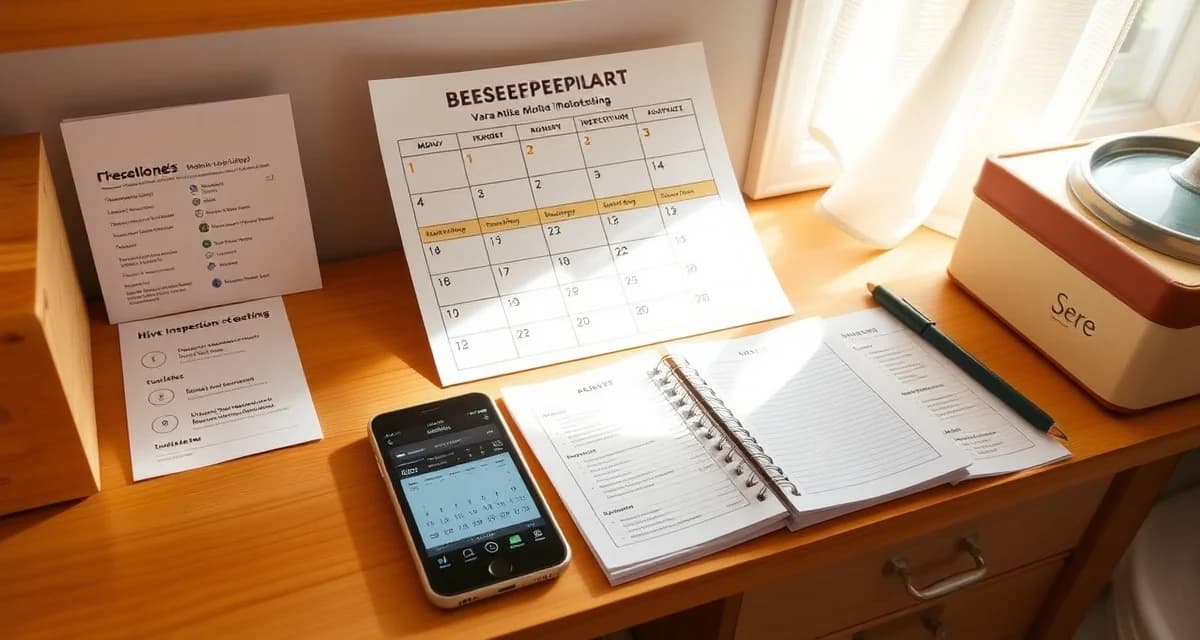
VarroaVault Hive Check Schedule Tool: Auto-Generate Your Annual Calendar
Beekeepers with a generated annual schedule complete 80% of recommended monitoring touchpoints versus 35% for those without a schedule. That completion gap is the practical result of the difference between "I know I should count more often" and "I have a reminder on my phone for July 15."
The hive check schedule tool answers 4 questions and generates your personalized annual calendar with mite count reminders, treatment windows, and PHI planning dates. The generated calendar exports to PDF, Google Calendar, or Apple Calendar.
TL;DR
- This guide covers key aspects of varroavault hive check schedule tool: auto-generate your ann
- Mite monitoring should happen at minimum every 3-4 weeks during active season
- The 2% threshold in spring/summer and 1% in fall are standard action points based on HBHC guidelines
- Always run a pre-treatment and post-treatment mite count to calculate efficacy
- Treatment records including product name, EPA number, dates, and counts are required for state inspection compliance
- VarroaVault stores all monitoring and treatment data with automatic threshold comparison and state export formatting
The 4 Questions
Question 1: What is your ZIP code?
Your location determines your USDA hardiness zone, which drives the seasonal timing of your management calendar. A zone 5 beekeeper in Minnesota has different spring first-count timing, different fall treatment window dates, and different broodless period expectations than a zone 8 beekeeper in Georgia.
Question 2: How many hives do you have?
Hive count affects the monitoring frequency recommendation. A 3-hive operation can individually monitor every hive monthly without significant time commitment. A 30-hive operation may use representative sampling to make monthly monitoring practical. The schedule tool adjusts its monitoring recommendations based on your hive count.
Question 3: Do you have honey supers on any hives, and when do you typically install and remove them?
Your honey super timeline drives your PHI planning. If you typically put supers on in May and pull them in September, the schedule tool places PHI deadline markers for each treatment product class at the appropriate times. You can see at a glance that starting an Apivar treatment in June would conflict with your planned May super installation -- giving you advance notice to adjust your timeline.
Question 4: Do you have any organic certification requirements?
Organic certification restricts your treatment product options to OMRI-listed products (OA, formic acid, thymol). The schedule tool marks treatment window events with the appropriate product options based on your certification status.
What the Generated Schedule Includes
Your personalized annual schedule includes these events, dated to your specific location and conditions:
April: First spring count reminder with the expected count range for your zone and colony type.
May: Spring follow-up count, with a flag if your April count was elevated. PHI deadline marker: latest treatment start date for products requiring super removal before your planned super installation.
June: Pre-flow count. The calendar shows your expected local nectar flow timing (derived from your ZIP code and USDA data) so you can see the relationship between flow timing and treatment eligibility.
July: Mid-season check. Emergency threshold flag for this date -- any count above 3% in July generates an immediate action prompt.
August 1-15: Fall treatment window marker. The calendar shows the open date and the close date for your zone, with a "critical" urgency flag on August 1.
September: Post-treatment count reminder, dated to 30-45 days after your August treatment window.
October-November: Broodless period monitoring check for your zone. Zone 7+ accounts get a mild-climate monitoring prompt with instructions for confirming broodless status before OA dribble.
December-January (zone 7+ only): Mild-day monitoring reminders for any forecast days above 50°F.
February: Season planning review -- annual summary report review and preparation for the new season.
Exporting to Your Phone Calendar
The generated calendar exports in three formats:
PDF printable calendar: A month-by-month view with each event marked. Print and hang in the barn.
Google Calendar (.ics): Opens your Google Calendar import tool. Import the file and all events appear in your calendar with reminder notifications.
Apple Calendar: Same .ics format, opens in Apple Calendar directly. Events appear with iOS/macOS notifications.
VarroaVault in-app calendar: If you're using VarroaVault, all events populate automatically in your account calendar without export. Reminders fire as push notifications.
Customizing After Generation
The generated schedule is a starting point. After it generates, you can adjust individual dates:
- If you know your local spring flow starts 2 weeks earlier than the zone average, pull your pre-flow count deadline forward.
- If you plant to skip a planned honey crop this year, you can remove the honey-production-related PHI events.
- If you're expecting to split a colony in June, add the post-split monitoring event.
Each event includes a brief "why this matters" note explaining the management reason behind the timing. If you're adjusting dates, those notes help you understand what you're trading off.
Using the Schedule Without VarroaVault
The schedule tool is available as a free standalone tool at VarroaVault's website -- you don't need an account to generate a basic calendar. Enter your ZIP code, hive count, and super timeline, and download your PDF or calendar file.
The full-featured version with personalized threshold reminders, PHI auto-calculation, and integration with your count and treatment logs requires a VarroaVault account. For beekeepers using the free schedule as a starting point, the varroa mite treatment plan generator guide covers how to set up the full version in your account.
Frequently Asked Questions
How do I generate my annual hive check schedule?
Visit VarroaVault's hive check schedule tool and answer 4 questions: your ZIP code, your hive count, your typical honey super installation and removal dates, and your organic certification status. The tool generates a personalized annual calendar with all key monitoring events, treatment windows, and PHI planning dates dated to your specific location. The calendar is ready in under 2 minutes. Export it to PDF, Google Calendar, or Apple Calendar, or import it directly into your VarroaVault account if you have one.
Can the schedule tool account for my honey flows?
Yes. When you enter your ZIP code, the tool uses USDA county-level bloom timing data to estimate your typical nectar flow windows. You can confirm or adjust these dates, and the schedule reflects them in your PHI planning -- showing the latest treatment start dates for each product class that would still clear PHI before your expected honey super installation date.
Does the generated schedule import into my phone calendar?
Yes. The schedule exports as an .ics file that imports directly into Google Calendar, Apple Calendar, and any other calendar app that supports the iCal format (.ics). After importing, all events appear in your calendar with the reminder notifications you've set for that calendar. VarroaVault account holders can skip the export step entirely -- events populate automatically in the app's built-in calendar with push notification support.
How do I know if my varroa treatment is working?
Run a mite count 2-4 weeks after the treatment ends and compare it to your pre-treatment count. The efficacy formula is: ((pre-count - post-count) / pre-count) x 100. A result above 90% indicates effective treatment. Results below 80% should trigger investigation for possible resistance, application error, or reinfestation. Log both counts in VarroaVault to track efficacy trends across treatment cycles.
How often should I check mite levels in my hives?
At minimum, once per month (every 3-4 weeks) during the active season. Increase to every 2 weeks when counts are near threshold or after a treatment to verify it worked. In fall, monitoring frequency matters most because the window to treat before winter bees are raised is narrow. VarroaVault's monitoring reminders can be set to your preferred interval for each apiary.
What records should I keep for varroa management?
Each record should include: date of count or treatment, hive identifier, monitoring method used, number of bees sampled, mites counted, infestation percentage, treatment product name and EPA registration number, dose applied, treatment start and end dates, and PHI end date. State apiarists typically expect this level of detail during inspections. VarroaVault captures all of these fields in a single log entry.
What is VarroaVault Hive Check Schedule Tool: Auto-Generate Your Annual Calendar?
VarroaVault Hive Check Schedule Tool is a free planning utility that generates a personalized annual hive inspection calendar. By answering 4 questions about your location, hive count, and management style, you receive a complete calendar with mite count reminders, treatment windows, and pre-harvest interval (PHI) planning dates. The calendar exports to PDF, Google Calendar, or Apple Calendar, turning general beekeeping knowledge into actionable, scheduled reminders.
How much does VarroaVault Hive Check Schedule Tool: Auto-Generate Your Annual Calendar cost?
The VarroaVault Hive Check Schedule Tool is free to use. VarroaVault's core monitoring and scheduling features are available at no cost, making professional-grade varroa management accessible to hobbyist and commercial beekeepers alike. Optional premium features for record storage, state inspection export formatting, and automatic threshold comparisons may be available through a VarroaVault account, but generating your annual calendar requires no payment.
How does VarroaVault Hive Check Schedule Tool: Auto-Generate Your Annual Calendar work?
The tool works by collecting your ZIP code to determine your USDA hardiness zone and local nectar flow timing, then combining that with your hive details to map out your season. It schedules mite counts every 3-4 weeks during active season, flags the 2% action threshold in spring and summer and 1% in fall per HBHC guidelines, and builds in pre-treatment and post-treatment count reminders. The finished calendar exports directly to your preferred format.
What are the benefits of VarroaVault Hive Check Schedule Tool: Auto-Generate Your Annual Calendar?
The primary benefit is dramatically higher monitoring completion. Beekeepers with a generated schedule complete 80% of recommended monitoring touchpoints versus only 35% without one. Beyond consistency, the tool ensures your treatment windows account for PHI requirements, your records meet state inspection compliance standards, and your mite counts are timed correctly around splits and purchases. It replaces vague intentions with specific, dated reminders tailored to your local beekeeping season.
Who needs VarroaVault Hive Check Schedule Tool: Auto-Generate Your Annual Calendar?
Any beekeeper responsible for varroa management benefits from this tool, but it is especially valuable for newer beekeepers still building monitoring habits, hobbyists managing 1-5 hives without a formal system, and anyone who has previously missed treatment windows or failed state inspections due to incomplete records. Commercial and sideliner beekeepers managing multiple yards will also benefit from the calendar export features and compliance-ready record formatting built into VarroaVault.
Related Articles
Sources
- American Beekeeping Federation (ABF)
- USDA ARS Bee Research Laboratory
- Honey Bee Health Coalition
- Penn State Extension Apiculture Program
- Project Apis m.
Get Started with VarroaVault
The information in this guide is most useful when you have your own mite count data to apply it to. VarroaVault stores every count, flags threshold crossings automatically, and builds the treatment history you need for state inspections and effective management decisions. See pricing and free tools at varroavault.com.