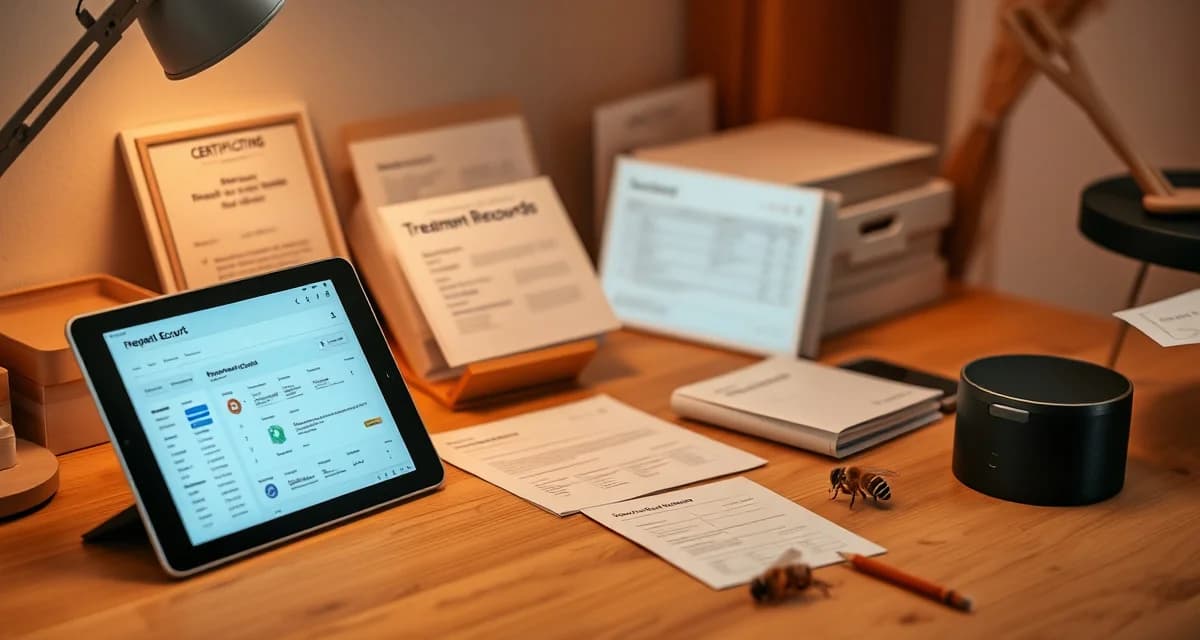
VarroaVault Data Export: How to Download Your Treatment Records
Beekeepers who export annual records before January have a complete year of treatment history ready for certification and audits. It's one of those small habits that makes a big difference when you suddenly need documentation in a hurry.
VarroaVault's export system is designed around a straightforward principle: your data belongs to you, and you should be able to get it in whatever format you need without technical complexity. One-click exports for common compliance use cases, plus flexible options for custom analysis.
TL;DR
- VarroaVault's data export is designed specifically for varroa mite tracking and PHI compliance
- Setup takes under 30 minutes for most beekeeping operations
- All data is securely stored and exportable as formatted PDF for state inspections
- Free trial available with no credit card required
- Mobile app access works offline at remote apiaries without cell service
- Efficacy scoring and resistance trend flagging are built-in features unavailable in general beekeeping apps
Why You Need Data Export Capability
Before going into the mechanics, it's worth being clear about why data export matters.
State inspections. Apiary inspectors can ask for treatment records with minimal advance notice. In 27 states, records must be available on demand. An export capability means you can have a formatted document ready in the time it takes to walk from the hive to your truck.
Organic certification audits. USDA-accredited organic certifiers conduct periodic audits that include review of your treatment records for the certification period. Certifiers typically want 1-3 years of records, formatted to show treatment product, lot number, date, and colony. VarroaVault's organic compliance export generates exactly this.
Insurance documentation. Colony loss insurance claims require documentation of management practices. Treatment records that show regular monitoring and timely treatment can support claims and reduce dispute risk.
Pollination contract compliance. Some growers require treatment record documentation as part of contract compliance or renewal. Having records export-ready when contract renewal conversations start is a professional advantage.
Your own historical analysis. Looking back at treatment history, efficacy trends, and seasonal patterns is valuable for improving your management program. Data exports let you do this analysis in whatever tool you prefer, whether that's Excel, R, or a custom spreadsheet.
Export Formats Available
PDF Compliance Export
The one-click compliance PDF is the primary format for state inspections, certification audits, and official submission. It's formatted as a signed, dated document with your account name and the generation date, making it suitable for official record requests.
What the compliance PDF includes:
- Operation information (your name, apiary locations, registration numbers if entered)
- Treatment history for the specified date range, organized by date and colony
- For each treatment: product name, formulation, active ingredient, EPA registration number, lot number, application date, dose applied, colony treated, and application method
- PHI compliance documentation showing treatment clearance dates vs. harvest dates
- Mite count history (optional, can be included or excluded)
Generate from: Reports > Compliance Export > Select date range > Generate PDF
CSV Export
The CSV export gives you structured data in a format that imports into Excel, Google Sheets, or any data analysis tool. Columns are clearly labeled and match the treatment log field structure in VarroaVault.
CSV export is most useful for:
- Importing into your own spreadsheet for custom analysis
- Migrating to a different software system
- Building custom reports for operations with specific format requirements
Generate from: Reports > Data Export > Format: CSV > Select date range
Excel Export
The Excel export produces a formatted spreadsheet with multiple tabs:
- Treatment history
- Mite count history
- Colony events (queen events, disease observations, robbing events)
- Summary statistics (average mite loads by season, treatment efficacy summary)
Excel export is useful for beekeepers who prefer to work with their data in Excel or who need to share records with partners, accountants, or veterinarians in a familiar format.
Generate from: Reports > Data Export > Format: Excel > Select date range
Specialized Export Types
State Inspection Package
When you know you're facing a specific state's inspection, the State Inspection Package export pulls the required fields for that state specifically. Different states require different information. Some want EPA registration numbers on every entry. Some want the applicator name on every entry. Some have specific date format requirements.
Select your state from the dropdown, and the export formats to match your state's specific inspection requirements rather than a generic template.
Organic Certification Export
The organic certification export filters your treatment log to approved NOP substances only and formats the records in the structure that most USDA-accredited certifiers request. This export also flags any treatment entries outside the certification period or outside the approved substance list, which might represent data entry errors that need correction before submission.
PHI Compliance Report
If your primary concern is documenting harvest safety, the PHI compliance report shows each treatment event alongside the corresponding PHI clearance date and any logged harvest events. This report makes it immediately clear whether every harvest occurred after the applicable PHI for each treatment.
How to Export Before January Each Year
Beekeepers who export annual records before January have a complete year ready for any certification or audit request. Setting this as an annual habit is straightforward:
- In late December, open VarroaVault
- Navigate to Reports > Compliance Export
- Set the date range to January 1 through December 31 of the current year
- Generate and download the PDF
- Save to your cloud storage or print a physical copy
This 5-minute process at year-end means you always have the previous year's complete treatment history available, formatted and ready, without needing to reconstruct it under time pressure.
After export, review the document for any gaps (missing lot numbers, incomplete entries) and make corrections in VarroaVault while the season is still recent enough to accurately recall. Corrections to historical records are always more accurate the sooner they're made.
Data Portability: Your Records Belong to You
VarroaVault doesn't hold your data hostage. If you ever want to move to a different system, you can export your complete historical data in CSV format and import it elsewhere. The export includes all treatment records, count data, and colony events in a structured format.
This also means that canceling a VarroaVault subscription doesn't mean losing your historical records. You can export your full history before canceling and maintain it in a spreadsheet or import it into another platform.
Connect your export capability to your broader compliance preparation with the state inspection requirements guide and organic certification compliance guide for the complete compliance record picture.
Frequently Asked Questions
How do I export my treatment records from VarroaVault?
Navigate to Reports in VarroaVault and select either Compliance Export for a formatted PDF ready for official submission, or Data Export for CSV or Excel format. Select your date range, choose the export type (all records, treatment only, count history, or combined), and click Generate or Export. PDF compliance exports are ready to download immediately. CSV and Excel exports are also immediate. For state inspection purposes, use Compliance Export and select your state from the dropdown to format the document for your specific state's requirements.
What formats can I export my records in?
VarroaVault supports three export formats: PDF (compliance-formatted, signed and dated, suitable for official submission to state inspectors, certifiers, or insurance), CSV (structured data for import into spreadsheets or other software), and Excel (multi-tab formatted spreadsheet with summary statistics). Specialized export types include State Inspection Package (state-specific format), Organic Certification Export (NOP-filtered, certifier-formatted), and PHI Compliance Report (harvest safety documentation). All formats cover any specified date range.
Are VarroaVault exports acceptable for state inspections?
In most states, yes. VarroaVault's compliance PDF exports include all fields that state apiary inspectors typically require: product name and formulation, active ingredient, EPA registration number, lot number, application date, dose, colony identification, and application method. The document is signed with your account information and dated. State Inspection Package exports are formatted to the specific requirements of each state. Before your first inspection, verify your state's current format requirements through VarroaVault's state compliance data section and confirm the export matches. Most state apiary programs accept properly formatted digital records in PDF form.
How do I know if my varroa treatment is working?
Run a mite count 2-4 weeks after the treatment ends and compare it to your pre-treatment count. The efficacy formula is: ((pre-count - post-count) / pre-count) x 100. A result above 90% indicates effective treatment. Results below 80% should trigger investigation for possible resistance, application error, or reinfestation. Log both counts in VarroaVault to track efficacy trends across treatment cycles.
How often should I check mite levels in my hives?
At minimum, once per month (every 3-4 weeks) during the active season. Increase to every 2 weeks when counts are near threshold or after a treatment to verify it worked. In fall, monitoring frequency matters most because the window to treat before winter bees are raised is narrow. VarroaVault's monitoring reminders can be set to your preferred interval for each apiary.
What records should I keep for varroa management?
Each record should include: date of count or treatment, hive identifier, monitoring method used, number of bees sampled, mites counted, infestation percentage, treatment product name and EPA registration number, dose applied, treatment start and end dates, and PHI end date. State apiarists typically expect this level of detail during inspections. VarroaVault captures all of these fields in a single log entry.
What is VarroaVault Data Export: How to Download Your Treatment Records?
VarroaVault Data Export is a feature within the VarroaVault platform that lets beekeepers download their complete varroa mite treatment history in formatted, compliance-ready files. Designed specifically for apiary record-keeping, it supports one-click PDF exports for state inspections and flexible formats for custom analysis. Beekeepers who export records before January each year arrive at audits and certification reviews fully prepared, with a complete seasonal treatment history ready to submit without scrambling for documentation.
How much does VarroaVault Data Export: How to Download Your Treatment Records cost?
VarroaVault offers a free trial with no credit card required, making it easy to evaluate the export system before committing. Paid plans are structured for beekeeping operations of varying sizes. Given that setup takes under 30 minutes and the platform replaces manual logs, spreadsheets, and general-purpose apps that lack varroa-specific features, most beekeepers find the cost justified by time saved during state inspections, insurance documentation requests, and organic certification audits.
How does VarroaVault Data Export: How to Download Your Treatment Records work?
VarroaVault automatically logs each treatment event, mite count, and efficacy score as you record it through the web or mobile app. When you need records, you select your date range and export format — PDF for inspector submissions or structured data for custom analysis. The system flags resistance trends and scores treatment efficacy automatically. Exports are formatted to meet PHI compliance standards, so the output is inspection-ready without additional formatting or manual cleanup.
What are the benefits of VarroaVault Data Export: How to Download Your Treatment Records?
The core benefits are compliance readiness, time savings, and data integrity. Built-in efficacy scoring and resistance trend flagging are unavailable in general beekeeping apps. Exports are formatted specifically for state apiary inspectors and PHI compliance requirements. The mobile app works offline at remote apiaries, so records stay accurate even without cell service. Beekeepers who maintain consistent export habits have complete annual documentation ready on demand, removing the stress of last-minute records requests during audits or insurance claims.
Who needs VarroaVault Data Export: How to Download Your Treatment Records?
VarroaVault Data Export is built for any beekeeper who needs verifiable treatment records — hobbyists pursuing organic certification, commercial operations managing state inspection requirements, and treatment-free beekeepers documenting their approach for audits. It is especially valuable for honey producers subject to PHI compliance, beekeepers carrying apiary insurance, and those working with state apiarists who require documented mite management histories. If you keep more than a few hives and face any regulatory or certification requirements, structured data export is essential.
Related Articles
Sources
- American Beekeeping Federation (ABF)
- USDA ARS Bee Research Laboratory
- Honey Bee Health Coalition
- Penn State Extension Apiculture Program
- Project Apis m.
Get Started with VarroaVault
The information in this guide is most useful when you have your own mite count data to apply it to. VarroaVault stores every count, flags threshold crossings automatically, and builds the treatment history you need for state inspections and effective management decisions. See pricing and free tools at varroavault.com.