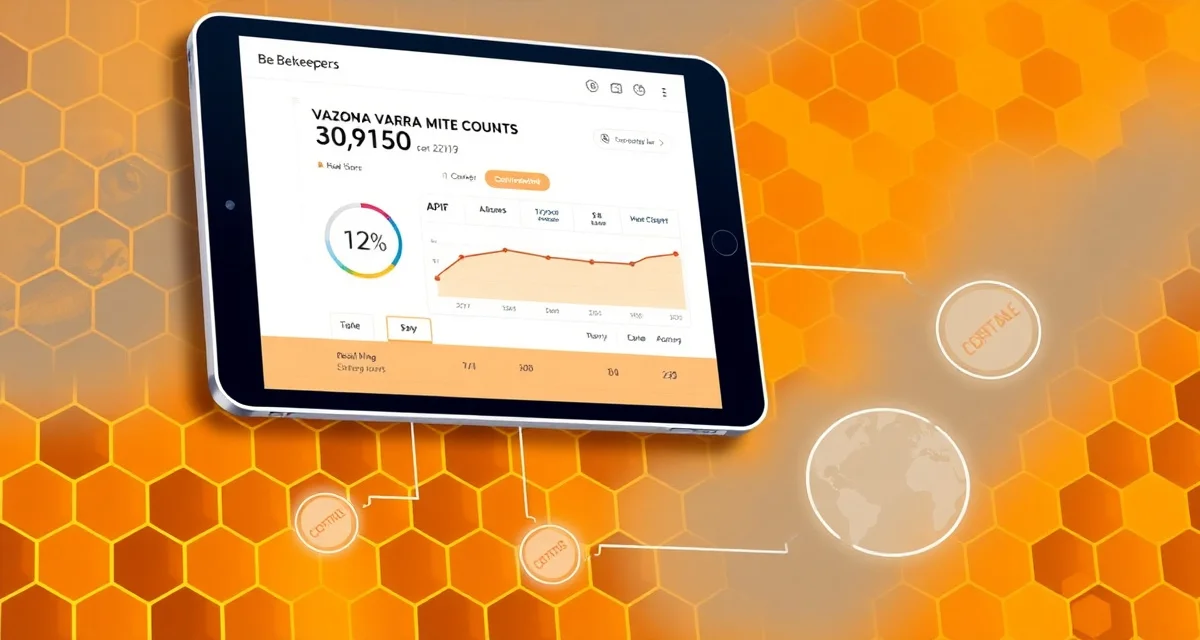
API Integration Guide: Connect Your Mite Counting App to VarroaVault
API-connected VarroaVault accounts log mite counts 5x more frequently than manual-entry accounts. That frequency difference directly translates to better threshold detection -- you can't act on data you don't have, and connected accounts collect data passively without requiring a deliberate logging decision for every count event.
This guide covers how to set up API integrations between mite counting tools and VarroaVault, including authentication setup, data field mapping, and troubleshooting common connection issues.
TL;DR
- This guide covers key aspects of api integration guide: connect your mite counting app to var
- Mite monitoring should happen at minimum every 3-4 weeks during active season
- The 2% threshold in spring/summer and 1% in fall are standard action points based on HBHC guidelines
- Always run a pre-treatment and post-treatment mite count to calculate efficacy
- Treatment records including product name, EPA number, dates, and counts are required for state inspection compliance
- VarroaVault stores all monitoring and treatment data with automatic threshold comparison and state export formatting
What the VarroaVault API Does
VarroaVault's API allows external applications -- mite counting apps, hive scale systems, sensor networks, and custom solutions -- to push monitoring data directly into your VarroaVault account. When a count result arrives via API, it appears in the same trend graph and triggers the same threshold alerts as a manually logged count.
The API accepts:
- Mite count events (count result, method, sample size, hive ID, timestamp)
- Weight log events (if using connected hive scales)
- Inspection summary events (from third-party inspection apps)
- Custom monitoring events (via the generic event endpoint)
The API returns:
- Current hive status (last count, threshold status, current PHI)
- Treatment history for a hive (for integrations that need context)
- Threshold alert status (whether the hive is currently flagged)
Developer documentation is available at the VarroaVault API integrations page with full endpoint documentation, authentication requirements, and example payloads.
Native Integrations: Apps With Built-In VarroaVault Support
Some mite counting applications have built-in VarroaVault sync features. For these apps, connection is configured within the third-party app's settings without requiring any developer knowledge. Current native integrations are listed on the VarroaVault integrations page and updated as new partners are added.
To connect a natively integrated app:
- Open the third-party app's settings
- Navigate to "Integrations" or "Connected Apps"
- Select VarroaVault from the list
- Authorize the connection by logging into your VarroaVault account
- Map your hive IDs between the two systems (required for counts to match the correct hive)
After connection, counts logged in the third-party app appear in VarroaVault automatically within seconds.
API Integration: Step-by-Step Setup
For applications that support API connections but don't have a native VarroaVault integration, you can set up the connection manually using VarroaVault's public API.
Step 1: Generate Your API Key
In VarroaVault, go to Settings > API Access. Click "Generate API Key." Copy the key to a secure location -- it won't be shown again. Your API key authenticates all requests from external applications.
VarroaVault uses API key authentication (Bearer token format). Include the key in the Authorization header of all API requests:
Authorization: Bearer your_api_key_hereStep 2: Map Your Hive IDs
Your mite counting app uses its own internal identifiers for hives. VarroaVault uses its own hive IDs. Before counts can be correctly attributed, you need to create a mapping between the two systems.
In VarroaVault, open each hive record and note the hive's VarroaVault ID (visible in the URL when viewing the hive). Create a mapping in your counting app or in a configuration file that associates your counting app's hive identifiers with the corresponding VarroaVault hive IDs.
This step is essential. An unmapped count will be rejected by the API or assigned to the wrong hive.
Step 3: Test the Connection
Before configuring automatic sync, send a test count using the API. Use the POST /v1/counts endpoint with a test payload:
{
  "hive_id": "your_varroavault_hive_id",
  "count_date": "2026-08-01",
  "method": "alcohol_wash",
  "mites_counted": 6,
  "bee_sample_size": 300,
  "infestation_pct": 2.0
}
A successful response returns a count record ID and the infestation percentage as calculated by VarroaVault. Check that the count appears in your hive's trend graph in the VarroaVault web interface.
Step 4: Configure Automatic Sync
Once your test count appears correctly, configure your counting app or integration to send counts automatically after each monitoring event. Most counting apps that support API output have a "webhook" or "auto-sync" setting where you enter the VarroaVault API endpoint URL and your API key.
Step 5: Verify Threshold Alerts
After configuring automatic sync, log a test count above threshold (above 2% for active season). Verify that VarroaVault's threshold alert fires for the affected hive. If the alert doesn't appear, check that your hive ID mapping is correct and that the count timestamp is within the active season.
Data Field Mapping
If your counting app exports data in its own format, you'll need to map its fields to VarroaVault's API schema. The key required fields for a count entry:
| VarroaVault Field | Description | Required? |
|---|---|---|
| hive_id | VarroaVault hive identifier | Yes |
| count_date | ISO 8601 date of count | Yes |
| method | alcohol_wash, sugar_roll, sticky_board, other | Yes |
| mites_counted | Raw mite count | Yes (or infestation_pct) |
| bee_sample_size | Number of bees sampled | Yes |
| infestation_pct | Calculated percentage | Auto-calculated if omitted |
| notes | Free text notes | Optional |
| photo_url | URL of count photo | Optional |
Troubleshooting Common Issues
401 Unauthorized: Your API key is invalid, expired, or not included in the request. Regenerate your key in Settings > API Access.
404 Not Found for hive_id: The hive ID doesn't exist in your VarroaVault account. Verify the hive ID mapping between your counting app and VarroaVault.
422 Unprocessable Entity: A required field is missing or in the wrong format. Check that method is using the correct enum values (alcohol_wash, not "alcohol wash").
Counts appearing on wrong hive: The hive ID mapping is incorrect. Review your mapping configuration and correct the association.
Alerts not firing: Check that the count method is recognized (not "custom" or "other" which don't receive threshold alerts). Also verify the count date is within the current active season.
Custom Integration Development
For commercial operations that want custom integrations -- for example, connecting proprietary inventory management systems or custom sensor networks -- VarroaVault's developer documentation includes full API reference with all endpoints, rate limits, and example code in Python, JavaScript, and PHP.
Contact VarroaVault's developer support team for assistance with commercial integration projects. Operations managing 200+ hives may qualify for a dedicated API support arrangement.
Frequently Asked Questions
Which mite counting apps have native VarroaVault integrations?
The current list of apps with native VarroaVault integration is maintained on the mite count tracking app page and updated as new integrations are added. For apps that don't have native integration, the VarroaVault API supports custom connections using standard REST API architecture. Any app that supports API output or webhook delivery can be connected to VarroaVault with the configuration steps in this guide.
How do I connect my counting app to VarroaVault?
For apps with native integration: configure the VarroaVault connection in the counting app's settings, authorize with your VarroaVault credentials, and map hive IDs between the two systems. For apps without native integration: generate a VarroaVault API key in Settings > API Access, configure your counting app to send data to VarroaVault's POST /v1/counts endpoint with your API key in the Authorization header, and create a hive ID mapping between your app and VarroaVault. Test with a single count before configuring automatic sync.
What data is transferred through the VarroaVault API?
Inbound data (from connected apps to VarroaVault) includes count events (count result, method, sample size, hive ID, timestamp, optional photo URL and notes), hive scale weight logs, and generic inspection summary events. Outbound data (from VarroaVault to connected apps) includes current hive status, treatment history, and threshold alert status. All data transfers use HTTPS with TLS 1.3 encryption. API keys provide access only to the authenticated account's data.
How do I know if my varroa treatment is working?
Run a mite count 2-4 weeks after the treatment ends and compare it to your pre-treatment count. The efficacy formula is: ((pre-count - post-count) / pre-count) x 100. A result above 90% indicates effective treatment. Results below 80% should trigger investigation for possible resistance, application error, or reinfestation. Log both counts in VarroaVault to track efficacy trends across treatment cycles.
How often should I check mite levels in my hives?
At minimum, once per month (every 3-4 weeks) during the active season. Increase to every 2 weeks when counts are near threshold or after a treatment to verify it worked. In fall, monitoring frequency matters most because the window to treat before winter bees are raised is narrow. VarroaVault's monitoring reminders can be set to your preferred interval for each apiary.
What records should I keep for varroa management?
Each record should include: date of count or treatment, hive identifier, monitoring method used, number of bees sampled, mites counted, infestation percentage, treatment product name and EPA registration number, dose applied, treatment start and end dates, and PHI end date. State apiarists typically expect this level of detail during inspections. VarroaVault captures all of these fields in a single log entry.
What is API Integration Guide: Connect Your Mite Counting App to VarroaVault?
The VarroaVault API Integration Guide explains how to connect external mite counting apps and hive monitoring tools directly to your VarroaVault account. It covers authentication setup, data field mapping, and troubleshooting connection issues. Connected accounts log mite counts 5x more frequently than manual-entry accounts, enabling faster threshold detection and more consistent varroa monitoring without requiring a deliberate logging decision for every count event.
How much does API Integration Guide: Connect Your Mite Counting App to VarroaVault cost?
The VarroaVault API integration capability is included with a VarroaVault account — there is no separate charge for connecting your mite counting app. You can start a free trial at VarroaVault to test the integration before committing. Third-party mite counting apps may have their own pricing structures, but the API connection itself on the VarroaVault side does not carry an additional fee.
How does API Integration Guide: Connect Your Mite Counting App to VarroaVault work?
The integration works by authenticating your external mite counting app with VarroaVault using API credentials, then mapping your app's data fields to VarroaVault's monitoring schema. Once connected, mite count data flows automatically into VarroaVault, where it is compared against standard thresholds — 2% in spring/summer and 1% in fall — and stored alongside treatment records for compliance reporting and efficacy tracking.
What are the benefits of API Integration Guide: Connect Your Mite Counting App to VarroaVault?
API integration eliminates manual data entry, resulting in 5x more frequent mite count logging compared to manual accounts. More frequent data means earlier threshold detection and faster treatment decisions. VarroaVault automatically compares incoming counts against HBHC-based action thresholds, tracks pre- and post-treatment efficacy, and formats all records for state inspection compliance — benefits that compound significantly when data collection is passive and continuous.
Who needs API Integration Guide: Connect Your Mite Counting App to VarroaVault?
Beekeepers using dedicated mite counting devices or apps — such as optical mite counters, automated wash systems, or hive sensor platforms — benefit most from this integration. It is especially valuable for commercial beekeepers managing multiple hives, anyone subject to state inspection requirements, and hobbyists who want consistent varroa data without the friction of manual logging after every count session.
Related Articles
Sources
- American Beekeeping Federation (ABF)
- USDA ARS Bee Research Laboratory
- Honey Bee Health Coalition
- Penn State Extension Apiculture Program
- Project Apis m.
Get Started with VarroaVault
The information in this guide is most useful when you have your own mite count data to apply it to. VarroaVault stores every count, flags threshold crossings automatically, and builds the treatment history you need for state inspections and effective management decisions. See pricing and free tools at varroavault.com.