VarroaVault API Integrations: Connect Your Mite Counting Apps
The weakest link in most beekeepers' monitoring workflow isn't their counting technique. It's the data entry step after the count. You do an alcohol wash in the field, get your mite count, and then what? You write it on your hand. On a sticky note. In a voice memo. And then later you enter it into your record system, maybe that day, maybe a few days later, maybe with a number that's slightly different from what you actually counted.
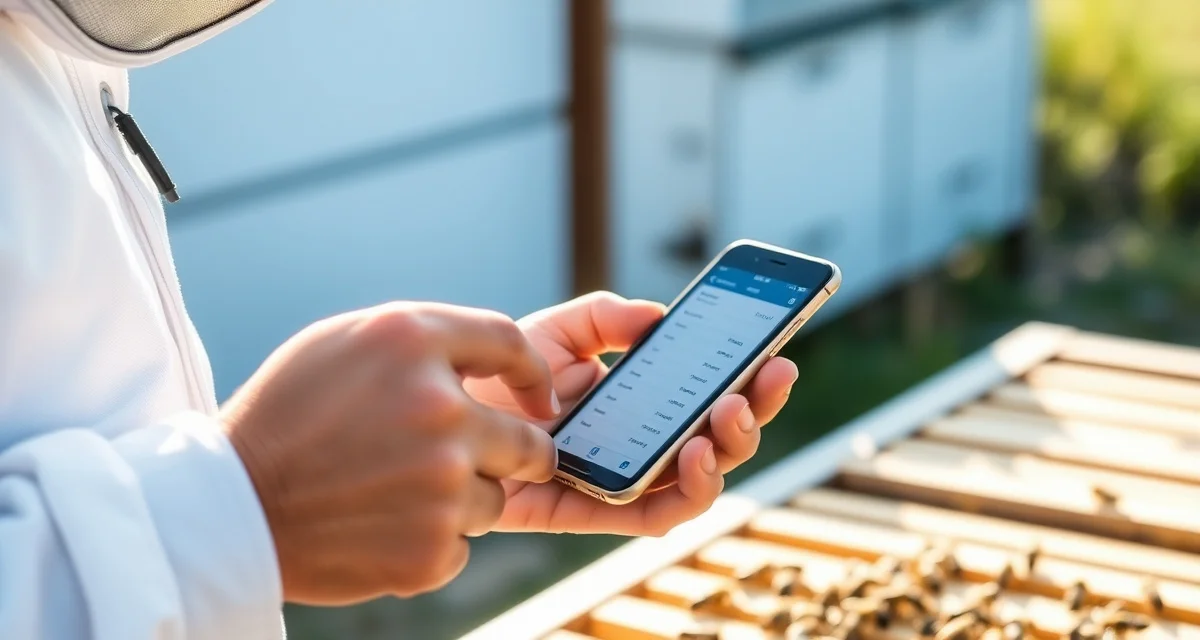
Beekeepers who use connected counting apps reduce data entry errors by 85% versus manual count entry. The reason is simple: when the count goes directly from the counting app into VarroaVault, nothing gets lost in transcription. You count in the field. The data appears in your records before you've finished closing the hive.
TL;DR
- VarroaVault's api integrations is designed specifically for varroa mite tracking and PHI compliance
- Setup takes under 30 minutes for most beekeeping operations
- All data is securely stored and exportable as formatted PDF for state inspections
- Free trial available with no credit card required
- Mobile app access works offline at remote apiaries without cell service
- Efficacy scoring and resistance trend flagging are built-in features unavailable in general beekeeping apps
How API Integration Works
VarroaVault's API integrations connect directly to supported mite-counting apps through a secure data link. When you complete a count in your counting app, the count data, including the number of mites, sample size, collection date, colony ID, and sampling method, transmits to VarroaVault automatically.
The live count import from connected apps means mite data appears in VarroaVault before you leave the apiary. By the time you're packing up your gear, the count is logged, the threshold alert has evaluated, and any follow-up reminders have been scheduled.
You don't have to open VarroaVault while you're in the field. You don't have to remember the count number until you get back to the truck. The integration handles it.
Supported Integrations
VarroaVault currently integrates via API with the major dedicated mite-counting applications. Each integration is pre-configured, meaning you authenticate once between the apps and the connection persists.
Dedicated Mite Wash Counting Apps
These apps are designed specifically to count mites from alcohol wash or sugar roll samples using phone camera image recognition. You photograph the wash liquid or counting surface, the app identifies and counts mites from the image, and VarroaVault receives the verified count.
Image-based counting apps reduce counting errors on high-count samples (where 80+ mites can be difficult to count accurately) and create a visual record of each count.
Scale-Based Monitoring Devices
Hive scales that include varroa monitoring data can push data to VarroaVault via API. Colony weight data and mite drop estimates from integrated monitoring platforms sync with your treatment and count records.
Manual Entry from Mobile
For counting methods that don't have dedicated counting apps (basic sugar roll counts, simple sticky board counts), VarroaVault's own mobile app provides in-field manual entry with the same field logging efficiency. This isn't an API integration, but it's a close alternative.
Setting Up an API Integration
Integration setup is a one-time process for each connected app.
Step 1: Enable Integration in VarroaVault
Navigate to Settings, then Integrations. Select your counting app from the supported list. Click "Connect" to begin the authentication process.
Step 2: Authenticate with Your Counting App
You'll be redirected to your counting app's authentication page to grant VarroaVault permission to receive your count data. This is a standard OAuth process, the same kind of connection that allows other apps to connect to each other. You log in with your counting app credentials and authorize the connection.
Step 3: Map Your Colony IDs
Your counting app and VarroaVault may use different naming conventions for colonies. The mapping step links your counting app's colony identifiers to the corresponding colonies in VarroaVault. You do this once. After mapping, counts from any colony in your counting app automatically route to the correct VarroaVault hive record.
Step 4: Test the Connection
Do a test count in your counting app. Verify that the data appears correctly in VarroaVault within a few minutes. Check that the colony, count, date, and method fields populated correctly.
After a successful test, the integration runs in the background without any ongoing action required on your part.
CSV Import for Non-Integrated Apps
VarroaVault accepts CSV data imports from apps and devices that don't have a direct API integration. If your counting tool exports a CSV file with count data, you can import it into VarroaVault using the CSV import tool.
The CSV import requires a few standard fields: colony identifier, count date, mites counted, bees sampled, and sampling method. VarroaVault's import template shows the required format. Most counting apps that export data can match this format.
CSV import is a manual process (you download from one place and upload to another), but it's still far faster and more accurate than typing individual count records. Use it for historical data migration or for counting tools that update data infrequently.
Why This Matters for Your Records
The mite count tracking app in VarroaVault is only as useful as the data in it. Counts entered days after the fact have a different character than counts entered at the moment they're taken. Delayed entry introduces transcription errors, imprecise dates, and gaps that make trend graphs less informative.
When integration ensures every count enters your system immediately and accurately, the trend data becomes genuinely reliable. You can see the slope of mite population growth in real time rather than trying to reconstruct it from memory.
Pair your integrated counting workflow with the mite wash calculator for in-field percentage conversions, so you always know where you stand on threshold before you've left the apiary.
Frequently Asked Questions
Which mite counting apps integrate with VarroaVault?
VarroaVault supports API integrations with major dedicated mite-counting applications that use image recognition for field counting, as well as compatible hive scale platforms that include mite monitoring data. The full current integration list is available in VarroaVault's Settings under Integrations. New integrations are added as compatible apps become available. For apps not on the integration list, VarroaVault's CSV import function accepts count data in a standard format for manual import.
How do I set up an API integration?
Go to Settings in VarroaVault and select Integrations. Choose your counting app from the supported list, click Connect, and authenticate with your counting app credentials through the standard OAuth process. Then complete the one-time colony ID mapping step to link your counting app's colony names to the correct VarroaVault hive records. After a successful test count, the integration runs automatically in the background. Setup takes about 5-10 minutes total.
Does VarroaVault accept CSV data imports from non-integrated apps?
Yes. VarroaVault's CSV import tool accepts count data from any app that exports CSV files. The required fields are colony identifier, count date, mite count, bee sample size, and sampling method. VarroaVault provides a template that shows the correct column format. You can import a single count or a full historical dataset. CSV imports are processed immediately and the data appears in your hive records and trend graphs as soon as the import completes.
How do I know if my varroa treatment is working?
Run a mite count 2-4 weeks after the treatment ends and compare it to your pre-treatment count. The efficacy formula is: ((pre-count - post-count) / pre-count) x 100. A result above 90% indicates effective treatment. Results below 80% should trigger investigation for possible resistance, application error, or reinfestation. Log both counts in VarroaVault to track efficacy trends across treatment cycles.
How often should I check mite levels in my hives?
At minimum, once per month (every 3-4 weeks) during the active season. Increase to every 2 weeks when counts are near threshold or after a treatment to verify it worked. In fall, monitoring frequency matters most because the window to treat before winter bees are raised is narrow. VarroaVault's monitoring reminders can be set to your preferred interval for each apiary.
What records should I keep for varroa management?
Each record should include: date of count or treatment, hive identifier, monitoring method used, number of bees sampled, mites counted, infestation percentage, treatment product name and EPA registration number, dose applied, treatment start and end dates, and PHI end date. State apiarists typically expect this level of detail during inspections. VarroaVault captures all of these fields in a single log entry.
What is VarroaVault API Integrations: Connect Your Mite Counting Apps?
VarroaVault API Integrations is a connectivity layer that links your mite counting apps directly to VarroaVault's varroa tracking platform. Instead of manually transcribing field counts into your records, the integration automatically transfers data from your counting app the moment you finish a count. It's built specifically for beekeeping operations that need accurate, timestamped mite count records for treatment decisions, efficacy tracking, and state inspection reporting.
How much does VarroaVault API Integrations: Connect Your Mite Counting Apps cost?
VarroaVault offers a free trial with no credit card required, so you can test the API integrations before committing. Paid plans are structured for beekeeping operations of varying sizes. Because setup takes under 30 minutes for most apiaries and eliminates the hidden cost of manual data entry errors, most beekeepers find the platform pays for itself quickly in time saved and treatment decisions made with cleaner data.
How does VarroaVault API Integrations: Connect Your Mite Counting Apps work?
When you complete a mite count in the field using a connected counting app, the count is transmitted directly to VarroaVault via API. The data appears in your records before you've closed the hive. VarroaVault then processes the count against your colony history, flags resistance trends, and generates efficacy scores. The mobile app works offline at remote apiaries and syncs automatically when connectivity is restored.
What are the benefits of VarroaVault API Integrations: Connect Your Mite Counting Apps?
The core benefit is eliminating transcription errors between the field and your records. Beekeepers using connected apps reduce data entry errors by 85% compared to manual entry. Beyond accuracy, you get built-in efficacy scoring, resistance trend flagging, PHI compliance tracking, and exportable PDF reports formatted for state inspections. Real-time data flow also means treatment decisions are based on current counts rather than numbers recalled from memory.
Who needs VarroaVault API Integrations: Connect Your Mite Counting Apps?
Any beekeeper who tracks varroa mite loads across multiple hives or apiaries benefits from API integrations, but it's especially valuable for commercial and semi-commercial operations managing dozens or hundreds of colonies. If you're currently writing counts on your hand, sticky notes, or voice memos and entering them later, this integration directly solves that workflow gap. It's also essential for operations subject to state inspection requirements or PHI compliance obligations.
Sources
- American Beekeeping Federation (ABF)
- USDA ARS Bee Research Laboratory
- Honey Bee Health Coalition
- Penn State Extension Apiculture Program
- Project Apis m.
Get Started with VarroaVault
The information in this guide is most useful when you have your own mite count data to apply it to. VarroaVault stores every count, flags threshold crossings automatically, and builds the treatment history you need for state inspections and effective management decisions. See pricing and free tools at varroavault.com.