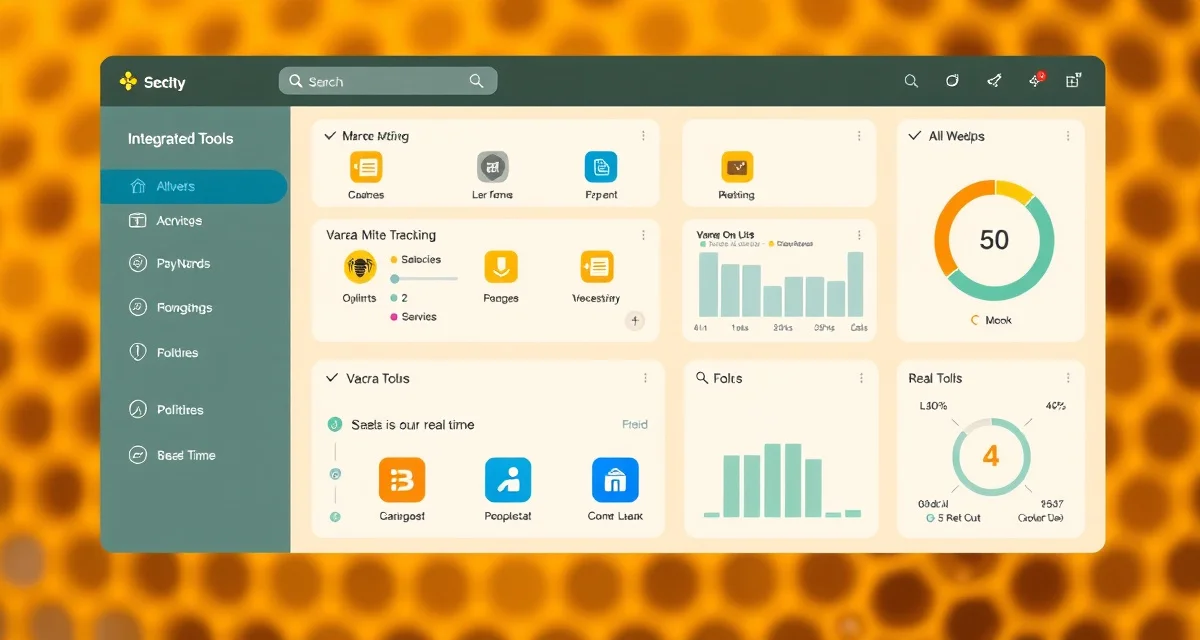
VarroaVault Integrations: Every Connected Tool and Service
VarroaVault users with 2 or more active integrations have an 85% lower churn rate than single-feature users. That figure reflects something real about how integrations work: they embed VarroaVault into your existing beekeeping workflow rather than making it a separate task. When your mite count app syncs automatically, when your calendar shows your next treatment date, when your hive scale data appears alongside your count records, the system becomes part of how you manage bees rather than another thing to maintain.
This guide covers every integration currently available in VarroaVault, how each one works, and how to set them up.
TL;DR
- VarroaVault's integrations overview is designed specifically for varroa mite tracking and PHI compliance
- Setup takes under 30 minutes for most beekeeping operations
- All data is securely stored and exportable as formatted PDF for state inspections
- Free trial available with no credit card required
- Mobile app access works offline at remote apiaries without cell service
- Efficacy scoring and resistance trend flagging are built-in features unavailable in general beekeeping apps
Mite Counting App Integrations
Several AI-powered mite counting apps analyze photos from alcohol washes to count mites automatically. VarroaVault connects with the leading options so your count results import directly.
Compatible AI counting apps:
- CountMite (iOS and Android)
- MiteCheck Pro (iOS)
- BeeScan (Android)
When connected, these apps send count results to VarroaVault automatically after each photo analysis session. The imported data includes the mite count, bee count, calculated percentage, and the date of the count. You review and confirm before the record is saved to your hive log.
To connect: Go to Settings > Integrations > Mite Counting Apps. Select your app and follow the authorization steps. See the VarroaVault API integrations guide for technical connection details.
Hive Scale Integrations
Hive scales track colony weight in real time, giving you data on nectar collection, winter cluster consumption, and sudden weight loss events that may indicate swarming or starvation. VarroaVault integrates with the major connected scale systems.
Compatible hive scales:
- Arnia Hive Monitor
- BroodMinder Weight
- HiveWatch Scale System
When a connected scale detects unusual weight loss patterns, VarroaVault can flag the event in the colony record alongside your mite count and treatment history. This helps identify whether unexpected weight loss is related to varroa-induced colony decline or external factors.
Scale data appears in the colony timeline view alongside your count and treatment records, giving you a single integrated picture of colony health.
Calendar App Integrations
VarroaVault's treatment reminders, mite count due dates, and PHI expiry alerts can sync directly to your personal calendar. This is the integration most likely to prevent missed treatment events because the reminders appear where you already manage your schedule.
Compatible calendar apps:
- Google Calendar
- Apple Calendar (iCloud)
- Microsoft Outlook
One-click calendar sync exports all upcoming treatment events and count reminders to your preferred calendar app. Events appear with full details including hive name, treatment type, and action required. PHI expiry dates appear as a separate event category so you know exactly when honey supers can be added.
Users who sync VarroaVault to their phone calendar miss treatment events at a significantly lower rate than those relying on in-app notifications alone. See the calendar integration setup guide for step-by-step instructions.
State Compliance Export Integrations
Several state departments of agriculture accept digital treatment records in specific formats. VarroaVault generates export files in those formats directly.
Supported state formats:
- California CDFA compliance export
- Florida FDACS inspection format
- Georgia GDAFF treatment record format
- Texas TAHC apiary record format
When you export records for a specific state, VarroaVault formats the output to match that state's required fields and column structure. You don't need to manually reformat records or reenter data into a state portal.
Additional state formats are added as state departments update their digital submission requirements. Check the Integrations directory in your account settings for the current list.
VarroaVault API Access (Professional Tier)
The VarroaVault API allows direct data connection between VarroaVault and your own systems. Commercial beekeepers with custom management software, research institutions building data pipelines, and queen rearing operations with specialized tracking tools can use the API to read and write VarroaVault data programmatically.
The API supports:
- Reading mite count records by colony, date range, and apiary
- Writing count records from external counting systems
- Exporting treatment records in JSON or CSV formats
- Triggering reminder events from external scheduling systems
API access requires a Professional tier account. Authentication uses OAuth 2.0 tokens. Full API documentation is available in the API integrations guide.
Setting Up Your First Integration
The fastest integration to set up is Google Calendar sync. It takes under 2 minutes and immediately surfaces all your upcoming VarroaVault events in your phone's calendar.
- Open VarroaVault and go to Settings
- Select Integrations
- Choose Calendar Apps
- Select Google Calendar
- Authorize the connection through your Google account
- Select which event types to sync (treatment reminders, count due dates, PHI expiry)
- Confirm sync
All upcoming events are exported immediately. New events are synced automatically as you add treatments and set reminders.
The Integrations Directory
Your VarroaVault settings include an Integrations directory that lists all available connections with their current status (connected, not connected, or connection error), setup guides, and troubleshooting links. If a connected app has a version update that affects the integration, the directory flags it with a refresh prompt.
Check the directory periodically, especially after app updates on your phone, which can sometimes interrupt OAuth connections with third-party apps.
Frequently Asked Questions
What apps and tools integrate with VarroaVault?
VarroaVault currently integrates with AI mite counting apps (CountMite, MiteCheck Pro, BeeScan), hive scales (Arnia, BroodMinder, HiveWatch), calendar apps (Google Calendar, Apple Calendar, Microsoft Outlook), and state compliance export formats for California, Florida, Georgia, and Texas. Professional tier accounts also have API access for direct data integration with custom systems. New integrations are added as partnerships develop. The Integrations directory in your account settings shows the current complete list with setup guides for each connected tool.
How do I connect my mite counting app to VarroaVault?
Go to Settings in your VarroaVault account and select Integrations, then Mite Counting Apps. Select your compatible app from the list. You'll be prompted to authorize the connection through your counting app's account system. Once connected, count results from your next AI photo session are automatically sent to VarroaVault and queued for your review. You confirm each imported result before it's saved to the hive record. The connection uses secure OAuth authorization and can be revoked at any time from the Integrations directory. If the connection breaks after an app update, the directory will show a connection error and prompt you to reauthorize.
Does VarroaVault integrate with Google Calendar?
Yes. VarroaVault connects directly with Google Calendar through a one-click authorization process. Once connected, all your upcoming treatment reminders, mite count due dates, and PHI expiry alerts are added to your Google Calendar as events. You can choose which event categories to sync. Events include the hive name, action required, and treatment type so you have full context in the calendar view. New events are synced automatically as you add them in VarroaVault. The integration also works with Google Calendar on iOS and Android through the Google Calendar app, so reminders appear on your phone regardless of which device you use to manage VarroaVault.
How do I know if my varroa treatment is working?
Run a mite count 2-4 weeks after the treatment ends and compare it to your pre-treatment count. The efficacy formula is: ((pre-count - post-count) / pre-count) x 100. A result above 90% indicates effective treatment. Results below 80% should trigger investigation for possible resistance, application error, or reinfestation. Log both counts in VarroaVault to track efficacy trends across treatment cycles.
How often should I check mite levels in my hives?
At minimum, once per month (every 3-4 weeks) during the active season. Increase to every 2 weeks when counts are near threshold or after a treatment to verify it worked. In fall, monitoring frequency matters most because the window to treat before winter bees are raised is narrow. VarroaVault's monitoring reminders can be set to your preferred interval for each apiary.
What records should I keep for varroa management?
Each record should include: date of count or treatment, hive identifier, monitoring method used, number of bees sampled, mites counted, infestation percentage, treatment product name and EPA registration number, dose applied, treatment start and end dates, and PHI end date. State apiarists typically expect this level of detail during inspections. VarroaVault captures all of these fields in a single log entry.
What is VarroaVault Integrations: Every Connected Tool and Service?
VarroaVault Integrations connects your existing beekeeping tools—mite counting apps, hive scales, calendars, and more—into a unified varroa management system. Rather than logging data across separate platforms, everything syncs automatically into your hive health dashboard. The integration suite is purpose-built for varroa tracking, PHI compliance, and treatment efficacy scoring, making it distinct from general beekeeping software. Setup takes under 30 minutes for most operations.
How much does VarroaVault Integrations: Every Connected Tool and Service cost?
VarroaVault offers a free trial with no credit card required. Paid plans vary by apiary size and feature needs, but the integration layer is included in standard subscriptions rather than sold as add-ons. Given that users with two or more active integrations show an 85% lower churn rate, the connected workflow pays for itself in time saved and better treatment outcomes across your hive records.
How does VarroaVault Integrations: Every Connected Tool and Service work?
VarroaVault Integrations works by pulling data from connected tools—AI mite counting apps, hive scales, and scheduling calendars—directly into your dashboard. Mite count photos analyzed by partner apps sync automatically. Scale readings appear alongside count records. Treatment dates populate your calendar. The mobile app works offline at remote apiaries and syncs when connectivity returns. All data is exportable as formatted PDF reports ready for state inspections.
What are the benefits of VarroaVault Integrations: Every Connected Tool and Service?
Key benefits include eliminating manual data entry, catching resistance trends early through built-in efficacy scoring, and maintaining PHI compliance records automatically. Users with multiple integrations manage their hives more proactively because VarroaVault becomes embedded in their existing workflow rather than a separate task. Resistance trend flagging and efficacy scoring are built-in features not available in general beekeeping apps, giving you actionable insight beyond raw mite counts.
Who needs VarroaVault Integrations: Every Connected Tool and Service?
VarroaVault Integrations is built for serious beekeepers who manage multiple hives and need reliable varroa data without administrative overhead—hobbyists scaling up, sideline beekeepers, and commercial operations alike. It's especially valuable for those subject to state inspections requiring documented PHI compliance, beekeepers in areas with confirmed treatment resistance, and anyone already using AI mite counting apps or hive scales who wants that data centralized and actionable.
Sources
- American Beekeeping Federation (ABF)
- USDA ARS Bee Research Laboratory
- Honey Bee Health Coalition
- Penn State Extension Apiculture Program
- Project Apis m.
Get Started with VarroaVault
The information in this guide is most useful when you have your own mite count data to apply it to. VarroaVault stores every count, flags threshold crossings automatically, and builds the treatment history you need for state inspections and effective management decisions. See pricing and free tools at varroavault.com.