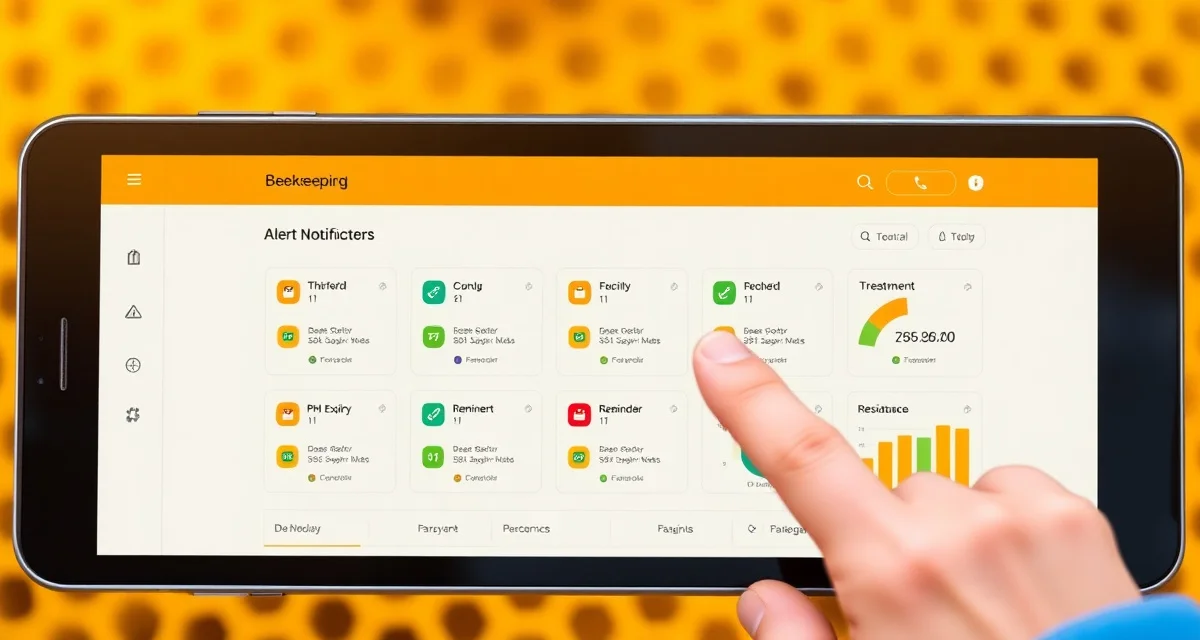
VarroaVault Alert Types: Every Notification Explained
Users who enable all 5 alert types retain their VarroaVault subscription 40% longer than those who only use count logging. That retention difference reflects a real difference in how actively the app is being used. Beekeepers who set up all alerts are using VarroaVault as a management system, not just a logbook. The alerts are what make it proactive rather than passive.
Here's every alert type, what it means, and how to configure it.
TL;DR
- This guide covers key aspects of varroavault alert types: every notification explained
- Mite monitoring should happen at minimum every 3-4 weeks during active season
- The 2% threshold in spring/summer and 1% in fall are standard action points based on HBHC guidelines
- Always run a pre-treatment and post-treatment mite count to calculate efficacy
- Treatment records including product name, EPA number, dates, and counts are required for state inspection compliance
- VarroaVault stores all monitoring and treatment data with automatic threshold comparison and state export formatting
Alert Type 1: Threshold Approach Alert
What it is: A predictive alert that fires 14 days before your colony's mite count trend projects to cross your threshold.
What triggers it: VarroaVault analyzes your most recent 2-3 count entries, calculates the trend slope (how fast mite counts are rising), and projects forward. If that projection shows your threshold being reached within 14 days at the current rate, the alert fires.
What the alert says: Your hive ID, current count percentage, projected date of threshold breach, and a link to your treatment options.
Why it matters: This is the alert that gives you lead time. Instead of discovering you're above threshold when you log your next count (too late to treat preventively), you have two weeks to order product, check your weather window, and schedule your treatment day.
Configuration: On/off toggle. Default: on. You can set different thresholds for different hives; the alert uses whatever threshold is set for that specific hive.
Alert Type 2: Count Overdue Alert
What it is: A reminder that a specific hive hasn't had a mite count logged within your scheduled monitoring interval.
What triggers it: When the time since your last logged count exceeds your set monitoring interval (30 days by default), VarroaVault sends this alert.
What the alert says: Which hive is overdue, how many days since the last count, and a quick-link to the count log form.
Why it matters: Regular monitoring only works if it's actually regular. This alert catches lapses before they become significant gaps. Missing one month is recoverable; missing three months can mean discovering a serious infestation you've allowed to grow unchecked.
Configuration: On/off toggle. Interval adjustable per apiary (14-day, 21-day, 30-day, custom). Default: 30-day interval, alert on.
Alert Type 3: PHI Expiry Alert
What it is: A countdown alert for any treatment with an active pre-harvest interval.
What triggers it: When you log a treatment with a PHI, VarroaVault calculates the expiry date. The alert fires at 7 days before expiry and again at 1 day before expiry.
What the alert says: The hive, the treatment product, the PHI expiry date, and a note that honey from this hive should not be harvested until PHI clears.
Why it matters: PHI violations are FIFRA violations. The two-stage alert (7 days + 1 day) gives you advance notice to plan harvest timing and prevents the "I forgot Apivar was still in" scenario.
Configuration: On/off toggle for each stage (7-day and 1-day alerts can be enabled/disabled independently). Default: both on.
Alert Type 4: Treatment Step Reminder
What it is: A reminder for specific upcoming steps in multi-step treatment protocols.
What triggers it: When you log certain treatments, VarroaVault automatically creates protocol step reminders:
- Apiguard: Day-14 reminder for second dose application
- OA extended protocol: Day 5-7 reminders for each subsequent vaporization
- Apivar: Day-42 reminder for efficacy count and Day 42-56 reminder for strip removal
- Formic Pro: Day-14 reminder for strip removal
What the alert says: Which hive, which protocol step is due, and what action to take.
Why it matters: Multi-step protocol errors are the leading cause of treatment failures. Missing the second Apiguard dose, leaving Apivar strips in beyond 56 days, or forgetting an OA vaporization in the sequence all reduce efficacy and waste treatment investment.
Configuration: On/off toggle. Timing adjustable if you want more advance notice (e.g., get the Day 42 Apivar reminder at Day 38 to give yourself a scheduling buffer). Default: on, at the standard protocol intervals.
Alert Type 5: Resistance Flag Alert
What it is: An alert triggered when your post-treatment efficacy calculation falls below 80%.
What triggers it: When you log a post-treatment count within the appropriate window after a treatment, VarroaVault calculates efficacy automatically. If efficacy is below 90%, a yellow flag appears on the hive record. If efficacy is below 80%, a red resistance flag fires and you receive this alert.
What the alert says: The hive, the treatment product, the calculated efficacy, and a recommendation to investigate before using this product class again. Also includes a link to report the failure to the national resistance surveillance network if you choose.
Why it matters: Sub-80% efficacy after a correctly applied treatment is a resistance signal. Without this alert, beekeepers often log the low count, see it's still above threshold, and reach for the same product again. That's the worst possible response to a resistance event.
Configuration: On/off toggle. Efficacy threshold adjustable (you can change the flag threshold from 80% to 85% if you want earlier warnings). Default: on, at 80% efficacy threshold.
Setting Up Your Alerts
Go to Settings > Notifications in VarroaVault:
- Enter and verify your mobile number for SMS
- Confirm your email for email alerts
- Toggle each alert type on/off
- Adjust intervals and thresholds
- If you have employees, add their numbers to receive relevant alerts
All five alerts are enabled by default for new accounts. The recommended configuration for most beekeepers is to keep all five enabled. If you find a specific alert generating false positives or irrelevant noise for your operation, you can disable it individually.
Frequently Asked Questions
What types of alerts does VarroaVault send?
VarroaVault sends five alert types: threshold approach (14 days before projected threshold breach), count overdue (when a hive hasn't been counted within your monitoring interval), PHI expiry (7 days and 1 day before pre-harvest interval expires), treatment step reminders (second doses, strip removals, next vaporizations), and resistance flags (when post-treatment efficacy falls below 80%).
Can I customize which alerts I receive?
Yes. Each of the five alert types has an independent on/off toggle in Settings > Notifications. You can also adjust the timing and threshold for each alert type. For example, you can change the count overdue interval from 30 days to 21 days, or adjust the resistance flag threshold from 80% to 85% efficacy.
How do I turn off alerts I do not want?
Go to Settings > Notifications and toggle off any alert types you don't want to receive. You can disable individual alert types without affecting others. SMS and email alerts can be managed independently for each type if you want some alerts by SMS and others only by email.
How do I know if my varroa treatment is working?
Run a mite count 2-4 weeks after the treatment ends and compare it to your pre-treatment count. The efficacy formula is: ((pre-count - post-count) / pre-count) x 100. A result above 90% indicates effective treatment. Results below 80% should trigger investigation for possible resistance, application error, or reinfestation. Log both counts in VarroaVault to track efficacy trends across treatment cycles.
How often should I check mite levels in my hives?
At minimum, once per month (every 3-4 weeks) during the active season. Increase to every 2 weeks when counts are near threshold or after a treatment to verify it worked. In fall, monitoring frequency matters most because the window to treat before winter bees are raised is narrow. VarroaVault's monitoring reminders can be set to your preferred interval for each apiary.
What records should I keep for varroa management?
Each record should include: date of count or treatment, hive identifier, monitoring method used, number of bees sampled, mites counted, infestation percentage, treatment product name and EPA registration number, dose applied, treatment start and end dates, and PHI end date. State apiarists typically expect this level of detail during inspections. VarroaVault captures all of these fields in a single log entry.
What is VarroaVault Alert Types: Every Notification Explained?
VarroaVault Alert Types: Every Notification Explained is a comprehensive guide to the five notification types built into the VarroaVault hive management app. It covers what each alert does, what triggers it, and how to configure it. The guide helps beekeepers move from passive mite logging to proactive colony management, using threshold-based and predictive alerts grounded in HBHC guidelines.
How much does VarroaVault Alert Types: Every Notification Explained cost?
VarroaVault is a subscription-based app. Pricing details are available on the VarroaVault website, but the guide itself is free to read. Users who enable all five alert types retain their subscriptions 40% longer than those who only use basic count logging, suggesting the full alert system delivers meaningful value relative to the subscription cost.
How does VarroaVault Alert Types: Every Notification Explained work?
VarroaVault monitors your mite count entries and runs trend analysis across your most recent data points. When counts approach or cross configured thresholds—such as 2% in spring/summer or 1% in fall—the app fires targeted notifications. Alerts include predictive warnings up to 14 days in advance, post-treatment efficacy prompts, and inspection-ready record exports formatted for state compliance.
What are the benefits of VarroaVault Alert Types: Every Notification Explained?
Enabling all five alert types transforms VarroaVault from a logbook into an active management system. Benefits include early warning before mite loads become critical, automatic threshold comparisons based on HBHC guidelines, treatment efficacy tracking, and state-inspection-ready records with EPA numbers and treatment dates—reducing the mental load of remembering when to check and what action to take.
Who needs VarroaVault Alert Types: Every Notification Explained?
Any beekeeper who monitors varroa mite levels will benefit, but the alert system is especially useful for those managing multiple hives, new beekeepers learning threshold-based treatment timing, and experienced beekeepers who want to maintain compliance records for state inspections. If you're already logging counts in VarroaVault, enabling all alerts is the logical next step to using the data actively.
Related Articles
Sources
- American Beekeeping Federation (ABF)
- USDA ARS Bee Research Laboratory
- Honey Bee Health Coalition
- Penn State Extension Apiculture Program
- Project Apis m.
Get Started with VarroaVault
The information in this guide is most useful when you have your own mite count data to apply it to. VarroaVault stores every count, flags threshold crossings automatically, and builds the treatment history you need for state inspections and effective management decisions. See pricing and free tools at varroavault.com.