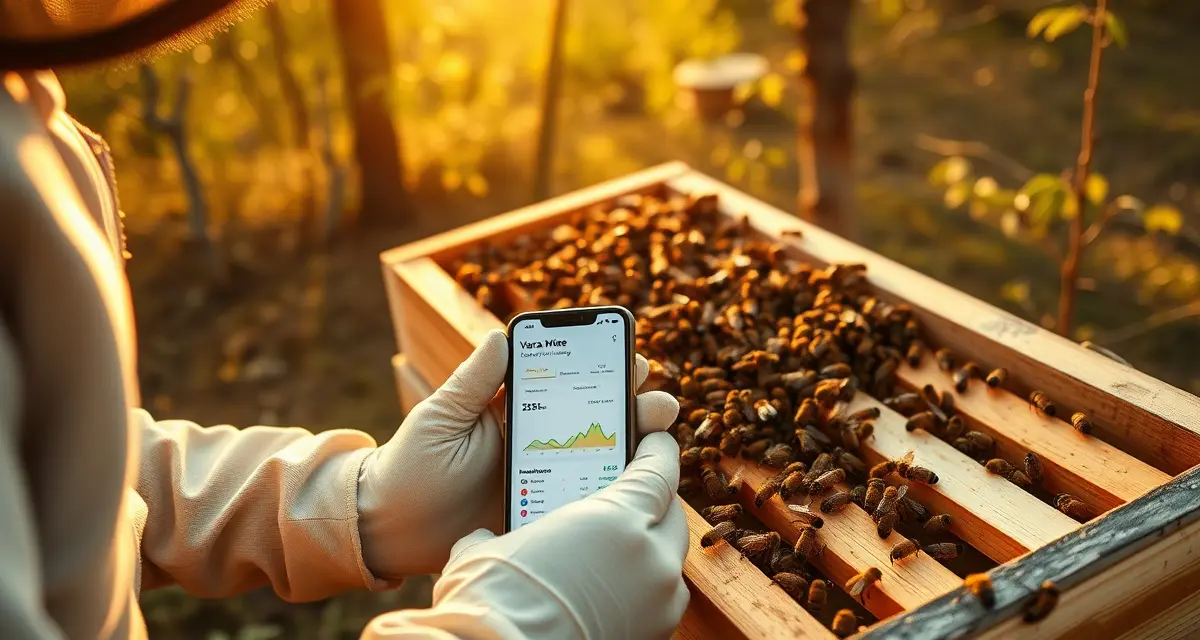
Mobile Varroa Monitoring: How to Track Mites From Your Phone in the Apiary
VarroaVault mobile users log counts 3x more frequently than desktop-only users due to reduced friction at the apiary. That gap in monitoring frequency has a direct impact on threshold breach detection -- you can't act on a count you haven't taken, and counts you take but don't log until you get home often get forgotten, estimated, or never entered at all.
Mobile logging works because it eliminates the gap between observation and record. You're standing at the hive, you've just done your alcohol wash, you can see the mites in the jar. Log it now, while the number is exact and the context is fresh.
TL;DR
- Varroa monitoring should happen at minimum once per month during active season (every 3-4 weeks)
- Sticky board counts are the least accurate method; alcohol wash is the gold standard
- The 2% threshold in spring/summer and 1% in fall are widely recommended action points
- Monitoring before and after every treatment allows efficacy calculation and resistance detection
- A count from the outer frames or entrance produces lower, less accurate results than brood nest samples
- VarroaVault stores every count with date, method, and result to build a trend dataset over multiple seasons
Designed for Gloves-On Apiary Use
Most smartphone apps aren't designed for beekeepers. They assume you're sitting at a desk with clean hands, full attention, and strong cell service. The VarroaVault mobile app was built for the opposite conditions.
The mobile log flow completes a full mite count entry in 4 taps including photo upload and location verification. The interface uses large touch targets that work with nitrile gloves on. There's no small text to squint at and no multi-step form that makes you pull your gloves off to navigate a keyboard.
The flow is: open app, tap your hive, tap "log count," enter your mite number (large numpad), optionally take a photo of the counting dish (one tap), confirm location (auto-filled from GPS), submit. Four taps plus a number entry. That's it.
Offline Mode for Remote Apiaries
Cell service at an apiary is unreliable. The mite count tracking app functions fully offline -- you can log treatments, counts, observations, and photos without a data connection. Everything queues locally and syncs automatically when you reconnect, whether that's at the end of your apiary visit or when you're back in town.
This matters practically. If you're keeping bees in a rural location, a mountain yard, or anywhere with spotty coverage, you shouldn't have to choose between logging while the information is fresh and waiting until you have service. Log in the apiary. Sync automatically later.
Logging a Count From Your Phone: Step by Step
Before you start counting:
Open the app and select the hive you're about to sample. The app shows you the last count date and result for that hive so you can see your trend at a glance before you even open the lid. This pre-count context is useful -- it tells you whether you're expecting to confirm a low count or looking for a change.
During counting:
After your alcohol wash, place your counting dish (white or light-colored container) in good light. Count the mites visible in the liquid. You can take a photo directly through the app -- some beekeepers use this to double-check their counts later or share with a mentor.
Entering the count:
Tap "New Count" on the hive detail screen. Enter your mite number and bee sample size (typically 300). The app calculates your percentage instantly. Tap a photo attachment if you want. The GPS location auto-populates from your phone.
Getting your interpretation:
After submitting, the count result screen shows your percentage in context: whether it's above or below threshold for the current month, how it compares to your last count, and whether the trend suggests you're rising or stable. If you're above threshold, the screen shows your treatment recommendation options.
Treatment Logging on Mobile
Treatment logging in the app is equally streamlined. Select the product from a pre-built list of all 9 EPA-registered treatments (auto-fills the registration number), enter your dose, select which hives were treated (you can select multiple hives simultaneously for batch treatment days), and confirm. The system sets a post-treatment count reminder automatically.
If you're on a batch treatment day treating 20 hives in an apiary, you select all 20 hives at once, apply the same product entry to all of them, and each hive's treatment record is created individually. One entry, 20 records.
Photo Documentation
The photo feature in mobile logging is underused. A photo of the counting dish with the mites visible serves as a secondary record -- useful if a count result is disputed, if you want to compare visually to future counts, or if you're sharing data with a mentor or veterinarian.
For treatment events, a photo of the treatment as applied (strips in position, vaporizer connected) creates a timestamped visual record. This level of documentation is increasingly valuable for commercial operations that need to demonstrate to inspectors that treatment was actually applied.
Using the Mobile App Effectively
A few practices that experienced users have found most valuable:
Log immediately, not later. The 5 minutes it takes to log in the apiary saves you the uncertainty of reconstructing counts from memory at home. A precise count from the jar is more valuable than an approximate count from memory.
Review your hive history before opening each hive. The app shows you the last count, treatment history, and any alerts for each hive. Reviewing this before your apiary visit helps you prioritize which hives need the most attention.
Use the notes field. One tap opens a text field for free-form observations: queen status, brood pattern, population estimate, unusual behavior. These contextual notes combine with your count data to give you a much richer picture of hive health over time.
Set your reminders. After logging a count, the app prompts you to set a reminder for your next monitoring visit. Taking 5 seconds to set this reminder while you're in the apiary mindset ensures your next count happens on schedule.
Frequently Asked Questions
How do I log a mite count from my phone in the apiary?
Open VarroaVault on your phone, select the hive from your apiary list, tap "New Count," enter your mite number from the alcohol wash (the app calculates the percentage from your sample size), optionally attach a photo, and submit. The whole process takes under 60 seconds and works offline if you don't have cell service. Your count appears in the hive's trend graph immediately, and the app flags a threshold alert if your count is above your set threshold for the current season.
Does the mobile app work with gloves on?
Yes. The interface was designed specifically for apiary use with large touch targets that respond accurately to nitrile-gloved fingers. The navigation flow for count and treatment logging uses large buttons and a large numpad for number entry. You won't need to remove gloves to log standard monitoring and treatment records.
Can I log treatments and counts on mobile without cell service?
Yes. The app operates fully offline. Any counts, treatments, photos, or notes you log without service are stored locally and sync automatically the next time your phone has a connection. There's no manual sync step required. Remote apiary users routinely run full monitoring sessions without service and find everything synced when they drive back toward town.
How do I know if my varroa treatment is working?
Run a mite count 2-4 weeks after the treatment ends and compare it to your pre-treatment count. The efficacy formula is: ((pre-count - post-count) / pre-count) x 100. A result above 90% indicates effective treatment. Results below 80% should trigger investigation for possible resistance, application error, or reinfestation. Log both counts in VarroaVault to track efficacy trends across treatment cycles.
How often should I check mite levels in my hives?
At minimum, once per month (every 3-4 weeks) during the active season. Increase to every 2 weeks when counts are near threshold or after a treatment to verify it worked. In fall, monitoring frequency matters most because the window to treat before winter bees are raised is narrow. VarroaVault's monitoring reminders can be set to your preferred interval for each apiary.
What records should I keep for varroa management?
Each record should include: date of count or treatment, hive identifier, monitoring method used, number of bees sampled, mites counted, infestation percentage, treatment product name and EPA registration number, dose applied, treatment start and end dates, and PHI end date. State apiarists typically expect this level of detail during inspections. VarroaVault captures all of these fields in a single log entry.
What is Mobile Varroa Monitoring: How to Track Mites From Your Phone in the Apiary?
Mobile varroa monitoring refers to logging mite counts directly from your smartphone while standing at the hive. Using a tool like VarroaVault's mobile interface, beekeepers record alcohol wash or sticky board results the moment they're taken—capturing exact numbers while context is fresh. This replaces paper notes or delayed desktop entry, which often leads to forgotten or estimated counts. The result is a timestamped, method-tagged dataset that builds into a multi-season trend record.
How much does Mobile Varroa Monitoring: How to Track Mites From Your Phone in the Apiary cost?
VarroaVault's mobile monitoring features are included as part of the platform's standard access—there's no separate charge for using the mobile interface. Beekeepers can log counts, review trends, and track treatment efficacy from their phone at no additional cost. Pricing details for VarroaVault's full feature set are available on the platform's website, but the core mite-logging functionality is accessible to all registered users regardless of device.
How does Mobile Varroa Monitoring: How to Track Mites From Your Phone in the Apiary work?
Mobile varroa monitoring works by removing the gap between observation and record. After completing an alcohol wash or sticky board check, you open VarroaVault on your phone and log the count immediately—entering the mite number, sample size, method used, and hive identifier. The platform stores each entry with a timestamp and calculates infestation rate automatically. Over time, these entries build a trend line that shows whether mite levels are rising, falling, or approaching action thresholds.
What are the benefits of Mobile Varroa Monitoring: How to Track Mites From Your Phone in the Apiary?
Logging counts at the hive rather than hours later produces more accurate data—numbers are exact, not estimated. VarroaVault data shows mobile users log 3x more frequently than desktop-only users, which means earlier detection of threshold breaches. More frequent, accurate counts also enable proper pre- and post-treatment efficacy calculations, helping beekeepers identify whether a treatment worked or whether mite resistance may be developing. Better data frequency directly translates to better colony outcomes over the season.
Who needs Mobile Varroa Monitoring: How to Track Mites From Your Phone in the Apiary?
Any beekeeper who monitors for varroa—which should be every beekeeper managing colonies—benefits from mobile logging. It's especially valuable for those managing multiple hives or apiaries, where delays between inspection and data entry increase the risk of lost or inaccurate records. Hobbyists, sideliners, and commercial operators alike benefit from having a complete, timestamped mite history accessible from the apiary. If you're already doing alcohol washes or sticky board checks, mobile logging simply ensures those counts are captured correctly every time.
Related Articles
- Nectar Flow Mite Monitoring: Balance Honey Production and Varroa Control
- Varroa Mites and Bee Viruses: Why Mite Control is Virus Control
Sources
- American Beekeeping Federation (ABF)
- USDA ARS Bee Research Laboratory
- Honey Bee Health Coalition
- Penn State Extension Apiculture Program
- Project Apis m.
Get Started with VarroaVault
The information in this guide is most useful when you have your own mite count data to apply it to. VarroaVault stores every count, flags threshold crossings automatically, and builds the treatment history you need for state inspections and effective management decisions. See pricing and free tools at varroavault.com.