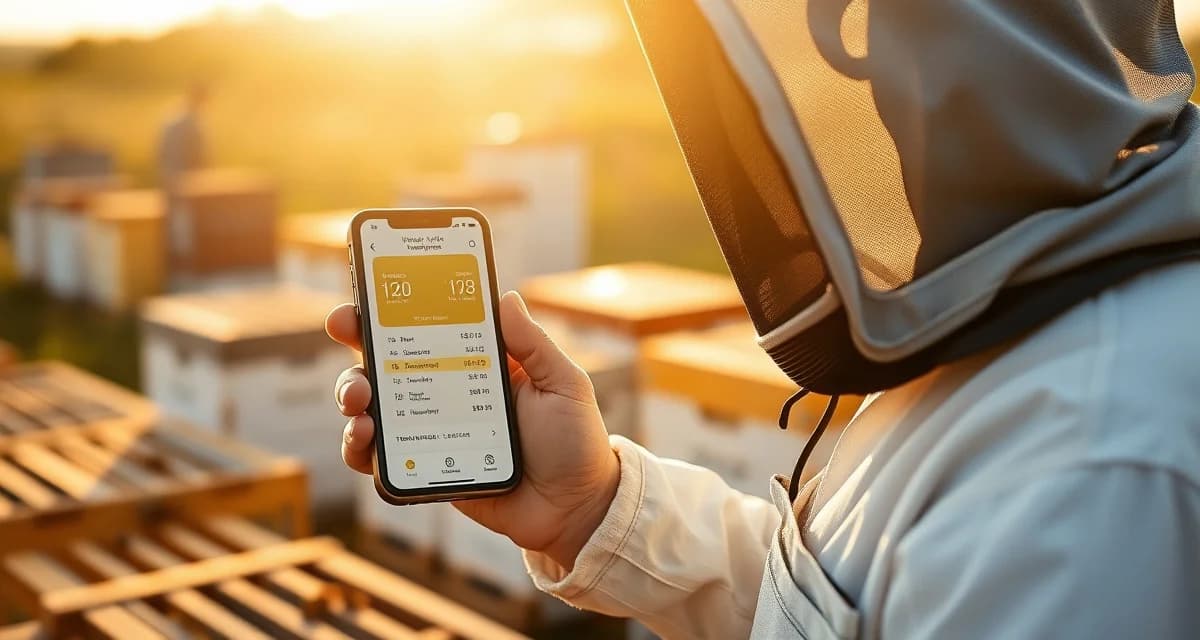
VarroaVault Mobile App: Log Mite Counts and Treatments in the Apiary
Beekeepers who log in the field immediately after inspection have 40% fewer data gaps than those who log later. That number shouldn't surprise you if you've ever driven home from an apiary visit and tried to remember whether the count on hive 7 was 8 mites or 12. Or tried to recall exactly which Apivar batch you opened. Or second-guessed the date you installed that MAQS.
The VarroaVault mobile app exists because beekeeping happens in the field, not at a desk. Logging should happen there too.
TL;DR
- VarroaVault's mobile app is designed specifically for varroa mite tracking and PHI compliance
- Setup takes under 30 minutes for most beekeeping operations
- All data is securely stored and exportable as formatted PDF for state inspections
- Free trial available with no credit card required
- Mobile app access works offline at remote apiaries without cell service
- Efficacy scoring and resistance trend flagging are built-in features unavailable in general beekeeping apps
Designed for Gloved Hands
Most software is designed by people sitting at computers. VarroaVault's mobile-first logging workflow was designed for beekeepers wearing gloves who need large tap targets and minimal steps.
What that means in practice:
Large touch targets throughout the logging workflow. You don't have to remove gloves to tap accurately. Buttons are sized for a gloved thumb.
Single-screen count entry. Colony selection, count entry, and sampling method selection are on one screen. Three taps and you're done.
Voice entry option. You can dictate counts and notes rather than typing. Useful for beekeepers who prefer to keep gloves on or who find typing difficult in field conditions.
Swipe-through multi-hive logging. After logging one colony, swipe to the next without returning to the main colony list. For multi-hive apiary visits, this significantly reduces the total time spent with phone in hand.
Large field notes area. Observation notes (queen present, unusual behavior, supplemental feeding needed) don't require navigating to a separate screen.
Offline Mode
Remote apiaries don't always have cellular service. That used to mean beekeepers either skipped logging in the field or used paper notes as an intermediate step. Neither was great.
VarroaVault's mobile app works fully offline. When you open the app with no internet connection, your colony list, recent count history, and treatment records load from the local cache. You can log counts, treatments, and inspection notes the same as if you were connected.
When your phone reconnects to the internet, whether you're back at the truck, on the road, or at home, all data logged during offline mode syncs automatically to VarroaVault's cloud servers. No manual sync step required. No data lost.
The offline mode covers everything you'll commonly need in the field: logging new count entries, logging new treatments, viewing recent count history for a colony, checking active PHI countdowns, and adding inspection notes.
What You Can Do in the Field with the Mobile App
Log a Mite Count
- Open the app and select the colony
- Enter the mite count and sample size (or let the app calculate if you entered total and percentage)
- Select the sampling method (alcohol wash, sugar roll, sticky board)
- Tap Save
The count is logged with the current date and time, linked to the correct colony, and evaluated against your threshold settings. If you've crossed threshold, you see the alert immediately.
Log a Treatment
- Select the colony
- Select "Add Treatment"
- Choose the product from the dropdown (all EPA-registered treatments are pre-loaded)
- Enter dose applied, application date (defaults to today), and any lot number or notes
- Tap Save
The PHI countdown starts immediately. The treatment appears in your colony's treatment history. A 30-day post-treatment monitoring reminder is scheduled automatically.
View Count History
Swipe to the hive history view for any colony to see your last 5-10 count entries with dates and whether each was above or below threshold. Useful for context when deciding whether to treat or monitor.
Check PHI Status
The colony overview screen shows active PHI countdowns for all treatments currently in effect. Green means cleared. Yellow means days remaining. Red means PHI not yet met.
iOS and Android Availability
The VarroaVault mobile app is available on both iOS (iPhone and iPad) and Android. Both versions receive simultaneous feature updates. The app requires iOS 15+ or Android 10+ to run.
The tablet versions of both apps display an expanded view with more data visible per screen, which some beekeepers find useful for review at the end of an apiary visit before leaving the yard.
Syncing with the Web Dashboard
The mobile app and the web-based VarroaVault dashboard stay in sync automatically when connected. Data logged on your phone appears immediately in the web dashboard. Changes made in the web dashboard, like updating threshold settings or adding historical records, are reflected in the mobile app at next sync.
For operations with multiple people logging data, like commercial operations where crew members log treatments in the field, all mobile entries from all authenticated users sync to the same cloud account. Your operation's data is always current and consistent regardless of who logged what and from which device.
You can explore how mobile logging fits into a complete field workflow at the varroa mite treatment software overview. For operations managing multiple remote apiaries, the remote apiary management guide covers how mobile logging and offline sync work together for locations with limited connectivity.
Frequently Asked Questions
How does the VarroaVault mobile app work in the apiary?
The VarroaVault mobile app lets you log mite counts, treatments, and inspection notes directly in the field with a workflow designed for gloved use. Large tap targets, minimal navigation steps, and voice entry options make it practical to log data while working hives. You select the colony, enter your count or treatment information, and tap Save. The log is immediately evaluated for threshold status and treatment recommendations. The whole logging process for a single hive takes about 30 seconds once you're comfortable with the workflow.
Does the mobile app work without internet connection?
Yes. VarroaVault's mobile app has a full offline mode. Your colony list and recent data load from a local cache when you're out of cellular range. All count entries, treatment logs, and inspection notes recorded offline are stored locally and sync automatically to VarroaVault's cloud servers when your device reconnects. No manual sync step is needed. This makes the app reliable for remote apiaries, rural locations, and any site where cellular coverage is intermittent.
Is the mobile app available for both iOS and Android?
Yes. VarroaVault's mobile app is available on both iOS (App Store, requires iOS 15+) and Android (Google Play, requires Android 10+). Both platforms receive simultaneous feature updates and are functionally equivalent. Tablet versions of both apps display an expanded layout with more data visible per screen. The app syncs with the web-based VarroaVault dashboard so data logged on mobile is immediately visible when you log in from a computer, and vice versa.
How do I know if my varroa treatment is working?
Run a mite count 2-4 weeks after the treatment ends and compare it to your pre-treatment count. The efficacy formula is: ((pre-count - post-count) / pre-count) x 100. A result above 90% indicates effective treatment. Results below 80% should trigger investigation for possible resistance, application error, or reinfestation. Log both counts in VarroaVault to track efficacy trends across treatment cycles.
How often should I check mite levels in my hives?
At minimum, once per month (every 3-4 weeks) during the active season. Increase to every 2 weeks when counts are near threshold or after a treatment to verify it worked. In fall, monitoring frequency matters most because the window to treat before winter bees are raised is narrow. VarroaVault's monitoring reminders can be set to your preferred interval for each apiary.
What records should I keep for varroa management?
Each record should include: date of count or treatment, hive identifier, monitoring method used, number of bees sampled, mites counted, infestation percentage, treatment product name and EPA registration number, dose applied, treatment start and end dates, and PHI end date. State apiarists typically expect this level of detail during inspections. VarroaVault captures all of these fields in a single log entry.
What is VarroaVault Mobile App: Log Mite Counts and Treatments in the Apiary?
VarroaVault is a mobile app built specifically for beekeepers to log varroa mite counts and treatments directly in the apiary. Unlike generic beekeeping apps, it features a glove-friendly interface with large tap targets, offline functionality for remote locations, and built-in PHI compliance tracking. It records mite counts per hive, treatment details including batch numbers and installation dates, and generates exportable PDF reports suitable for state inspections. Setup takes under 30 minutes for most operations.
How much does VarroaVault Mobile App: Log Mite Counts and Treatments in the Apiary cost?
VarroaVault offers a free trial with no credit card required. Paid plans provide full access to features including PDF export for state inspections, efficacy scoring, and resistance trend flagging. Pricing is structured to serve individual hobbyist beekeepers through larger commercial operations. Because the free trial requires no payment information upfront, beekeepers can evaluate the full mobile logging workflow before committing to a subscription.
How does VarroaVault Mobile App: Log Mite Counts and Treatments in the Apiary work?
VarroaVault works by letting beekeepers log mite counts and treatment data immediately after hive inspections, directly from their phone or tablet. The app stores entries securely and works offline at apiaries without cell service, syncing when connectivity resumes. Each log captures hive-specific mite counts, treatment product names, batch numbers, and dates. Built-in efficacy scoring automatically evaluates treatment outcomes, while resistance trend flagging alerts beekeepers when mite populations suggest reduced treatment effectiveness over time.
What are the benefits of VarroaVault Mobile App: Log Mite Counts and Treatments in the Apiary?
Logging in the field immediately after inspection reduces data gaps by 40% compared to logging later at home. VarroaVault eliminates the common problem of misremembering counts, batch numbers, or treatment dates after leaving the apiary. Key benefits include offline access for remote locations, PHI-compliant record keeping for honey producers, ready-made PDF reports for regulatory inspections, and efficacy scoring that helps beekeepers make smarter treatment decisions based on their own historical colony data.
Who needs VarroaVault Mobile App: Log Mite Counts and Treatments in the Apiary?
VarroaVault is built for any beekeeper who monitors and treats for varroa mites and wants accurate, accessible records. It is especially valuable for hobbyists managing multiple hives who struggle to remember per-hive details after leaving the apiary, for small commercial operations needing PHI-compliant documentation, and for beekeepers in states with inspection requirements. If you have ever second-guessed a mite count or treatment date on the drive home, VarroaVault is designed specifically for you.
Sources
- American Beekeeping Federation (ABF)
- USDA ARS Bee Research Laboratory
- Honey Bee Health Coalition
- Penn State Extension Apiculture Program
- Project Apis m.
Get Started with VarroaVault
The information in this guide is most useful when you have your own mite count data to apply it to. VarroaVault stores every count, flags threshold crossings automatically, and builds the treatment history you need for state inspections and effective management decisions. See pricing and free tools at varroavault.com.